A billion Might is not a price: how to value a Lords Mobile account
An archived review of 20 listings, three account examples and a comparison method based on role, progress and verified details. Includes a reusable template.
Published
Two listings both show 1.4 billion Might. One asks RUB 9,704 and the other RUB 19,409. These are FunPay catalog prices recorded on September 21, 2026, not current quotes. They show how sellers' expectations differ without explaining the accounts' difference in value. To value your own account, establish what the offer includes and find truly comparable alternatives. Our account selling guide separates marketplace choice, the deal price and what you receive after fees.
First decide which price you are looking for
The asking price is the amount publicly listed by the seller. The deal price is what the parties agreed. Net proceeds are what remains after agreed fees and costs. These figures may differ. A Sold label without a confirmed amount does not turn an old asking price into proof of a completed deal.
Define your timeframe too: are you willing to wait for a suitable buyer, or do you want the sale completed by a particular date? Urgency affects your willingness to negotiate, but supplies no universal percentage discount. Past in-game spending is not a pricing formula either; buyers care about the progress currently available.
What the review of 20 offers showed
For the original September 21 review, we deliberately selected 20 of the 88 visible listings in FunPay's Lords Mobile catalog, covering different progress levels, farms, traps and rally leaders. This was one platform's snapshot, not statistics for the whole market. Some listings belonged to the same seller. The detailed pages of the following three examples were also opened; the accounts were not inspected in the game.
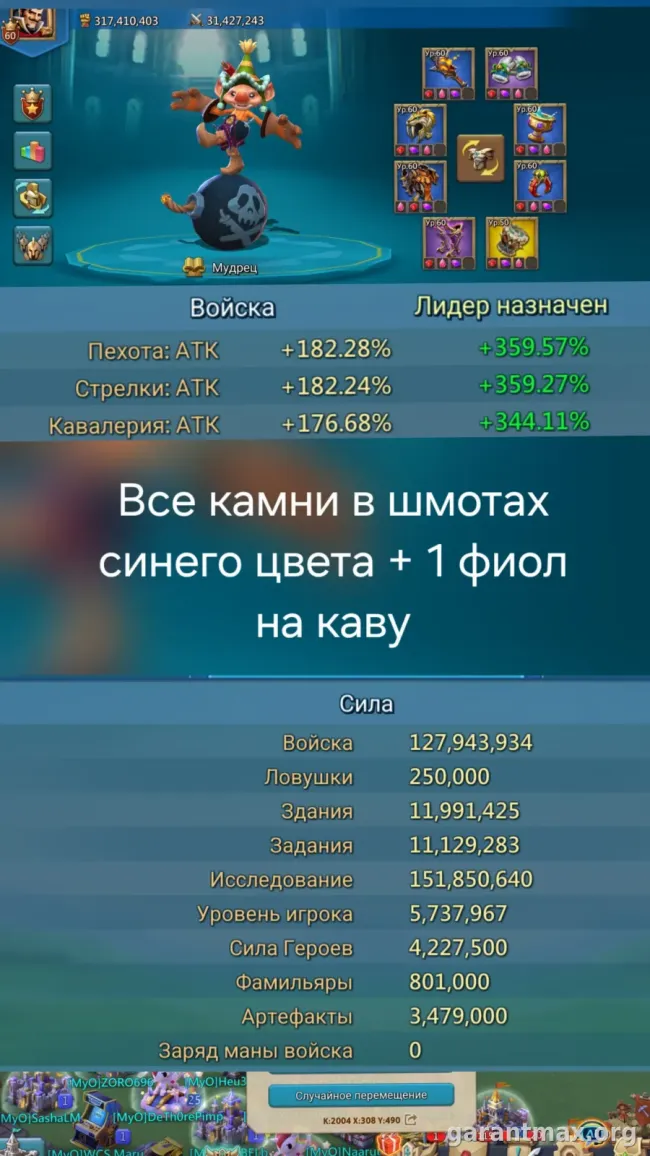
Profile A: advertised 1.4 billion Might, 539 million research Might, 33 million troops and 42 Migration Scrolls. The catalog price was RUB 9,704. Listing A specified iOS.
Profile B: advertised the same 1.4 billion Might, but 608 million research Might, 47 million troops and 10 scrolls, with a catalog price of RUB 19,409. Listing B specified Android. Both offers came from one seller. The full price difference cannot be assigned to the extra troops or research alone: complete gear sets and conditions still need comparison.
Profile C: a trap account listing at RUB 30,000 separately stated 136 million Might excluding troops and about 20 million troops. Comparing that 136 million with the previous accounts' total Might would be incorrect. All three examples use seller-reported specifications; their asking prices do not establish completed sales.
The practical lesson is to put offers into matching fields first. Total Might, Might excluding troops and research Might are different measures. Trap describes an advertised role, but performance needs a separate check. Averaging these listings would not value your account.
Compare accounts serving the same purpose
For a farm, start with its resource production, stock and delivery arrangements. For combat, examine the required troops, research and active gear sets. A rally leader needs closer inspection of combat stats, heroes and familiars. One account may serve several roles; choose the prospective buyer's main task rather than comparing everything with everything.
Ask for the actual state on one date: which T4/T5 are unlocked, how many relevant troops are currently present, which research branches are complete, and the development of heroes, familiars and artifacts. Unlocked and ready for battle belong in different fields. After losses, an old army screenshot does not describe the current offer.
Establish which equipment set and active boosts produced the displayed percentages. IGG's official equipment guide separates research, production, hunting and combat sets. This is a 2019 reference, not a current best-in-slot ranking; the relevant principle is comparing the same purpose.
Check suitability for the intended kingdom, migration and linked services separately. A scroll count does not prove the account can move to a particular destination. A platform name in a listing does not replace checking available login and transfer methods. Do not treat an unknown field as confirmed suitable.
How to build a trustworthy comparison
1. Narrow the task. Choose one role, comparable progress and important restrictions. Do not mix account rentals, bundles of several accounts or incomplete transfers with the sale of one account.
2. Record each price's conditions. Save the URL, date, currency, advertised contents, negotiation terms and known costs. Establish the final amount for the chosen payment method. If comparing currencies, record the exchange-rate date and source; distinguish a converted amount from the original price.
3. Check independence. Matching screenshots, descriptions and specifications may indicate the same offer repeated. Flag possible duplicates and batches from one seller: ten listings from that seller are not ten independent pricing opinions. A listing disappearing does not by itself prove a sale.
4. Mark what is unknown. Missing current screenshots, full gear or migration information should be labelled unverified. Use only offers comparable on the key conditions for your estimate. Other listings can suggest questions, but do not justify a price.
5. State the result. With enough suitable comparisons, you can discuss an asking-price range, dated and qualified by its limitations. If comparable offers are scarce or unexplained differences remain, an honest result is a list of missing information. The whole category's minimum and maximum prices do not value an individual account.
Comparison template: complete it for your account and each alternative
Date and source: [check date], [URL]. Main role: [game and purpose]. Might: [total], [research], [excluding troops, if known]. Readiness: [unlocked troops], [current composition], [important completed research]. Gear and stats: [equipment and jewels], [conditions when stats were recorded]. Restrictions: [kingdom and migration], [linked services], [ownership history]. Price: [amount and currency], [negotiation], [fees and costs]. Checks: [visible on current screenshots], [only claimed], [missing]. Conclusion: [suitable comparison / clarification needed / excluded, with reason].
This sheet is more useful than a list of URLs because it shows where the comparison breaks down. If another offer's combat gear is unknown, for example, you cannot calculate a premium for your equipment by subtracting its price. Establish comparability first, then discuss the difference.
Reading a screenshot: equal percentages can mean different things
The original IGG image below shows three jewels at 20%, but their labels differ: Ranged ATK, Infantry ATK and Cavalry ATK. To assess a gear set, you need the bonus type and the jewels actually installed. This archived image shows item cards; it does not prove that a particular seller has those jewels equipped, and it does not price an account.

What to do with your estimate
If the price is still unclear, collect current screenshots and a completed comparison sheet. On the GM Lords Mobile page, choose Value an account and submit specifications for discussion. Identify confirmed parameters and missing information. Describing an account requires no passwords, login codes or recovery details.
If you have chosen an asking price, include it in a listing request with the description and screenshots. To send materials to the team instead, choose Telegram in the listing instructions. Publication requires review and your consent. Our Lords Mobile selling guide explains sale routes, fees and net proceeds. Also consider IGG's agreement: account sales and transfers are prohibited except where IGG permits them, and violations can result in loss of access. Third-party valuation or deal assistance does not override the publisher's rules.
Frequently asked questions
Can Might alone determine a Lords Mobile account's value?
Should I immediately lower the price if nobody contacts me?
Sources
- FunPay: Lords Mobile catalog snapshot, September 21, 2026
- FunPay: Profile A, 1.4 billion Might and 539 million research Might
- FunPay: Profile B, 1.4 billion Might and 608 million research Might
- FunPay: Profile C, advertised trap account
- IGG: Equipment, official reference dated April 15, 2019
- IGG: Jewels, official guide and original image
- IGG: User Agreement