Die spent, no increase: read Lords Mobile Recast before rolling again
Two Recast screens show fewer Dice and a negative comparison. Why that does not establish a loss in the saved bonus, and what to check before using another item.
Published

A Recast Die in Lords Mobile should not be treated as a guaranteed increase. It changes a selected Armament statistic; the Heroic Saga introduction explains the items' purpose. Here two Recast screens show a reduced die count without a positive comparison to the saved value.
Find the saved value first
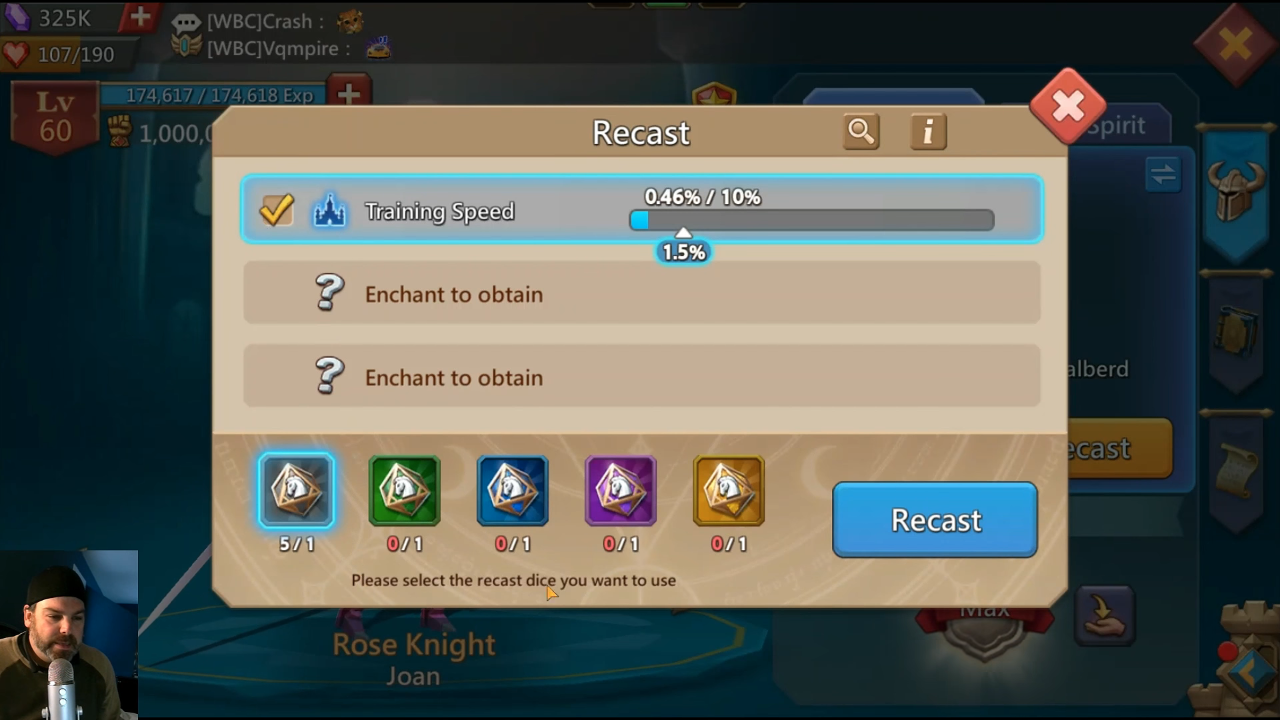
Langer's October 14, 2026 review opens Rose Knight's Armament and its Recast window. The selected row is Training Speed. At 08:44, it shows 0.46% / 10%, while the selected Common die displays 5/1. These are different indicators: the effect value and the item counter for the action.
Do not read 0.46% as an attempt's success probability. It belongs to the chosen effect. The nearby 10% is not a promised increase from the next die either: the screen makes no such promise. Several item colours below also do not establish how many attempts the desired result will need.
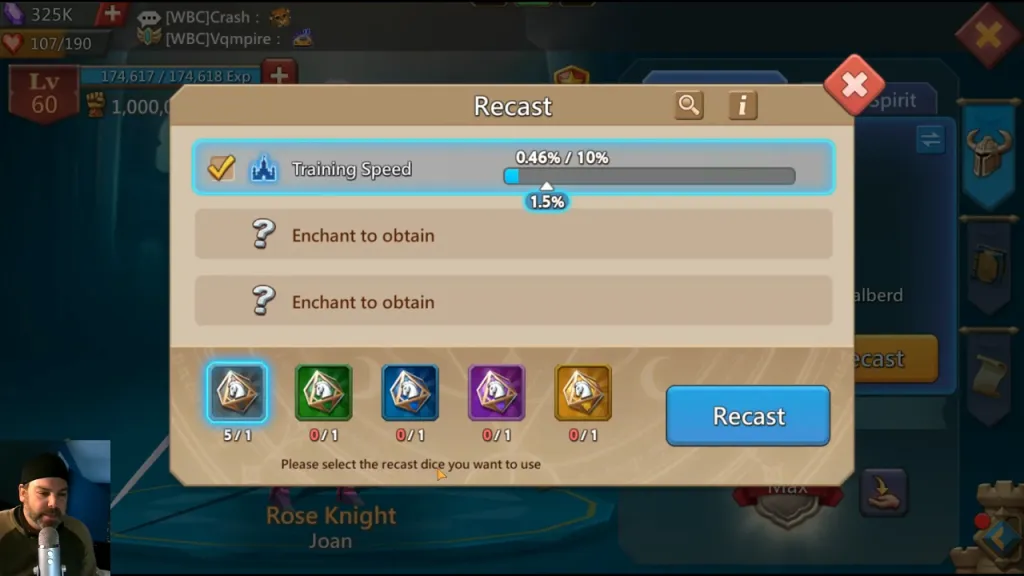
Open the original before-use screen. This is early review footage, rather than your account or a fresh test of today's client. It illustrates where to read the values: record the selected row and current bonus before examining the action's result.
A red minus does not establish a lost saved bonus
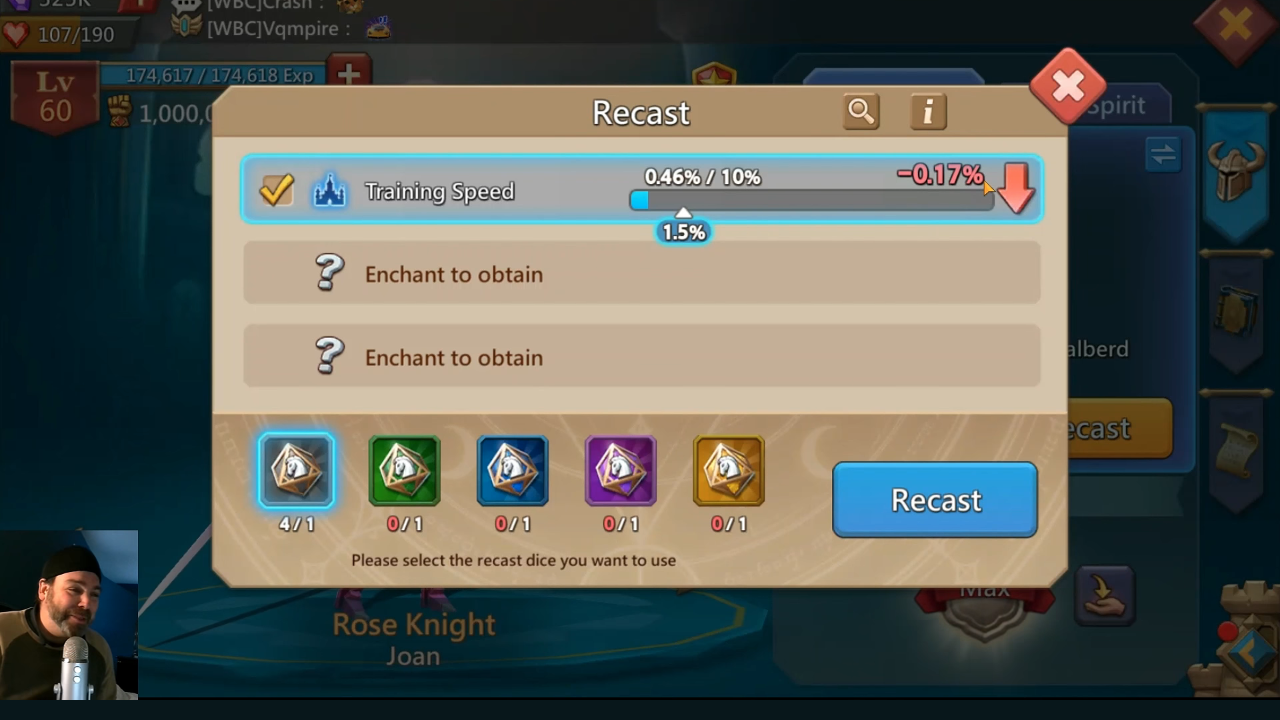
At 08:54, the same die counter shows 4/1 instead of 5/1. The row still displays 0.46% / 10%, with a red −0.17% and downward arrow on the right. One die has visibly been spent; a positive increase is not shown.
These two frames do not establish a new saved bonus of 0.29%. Subtracting 0.17 from 0.46 produces that number, but it is not shown here as the new saved value. A red comparison and an applied statistic are different things. The frames also do not establish a universal best-result protection rule for every Recast situation.
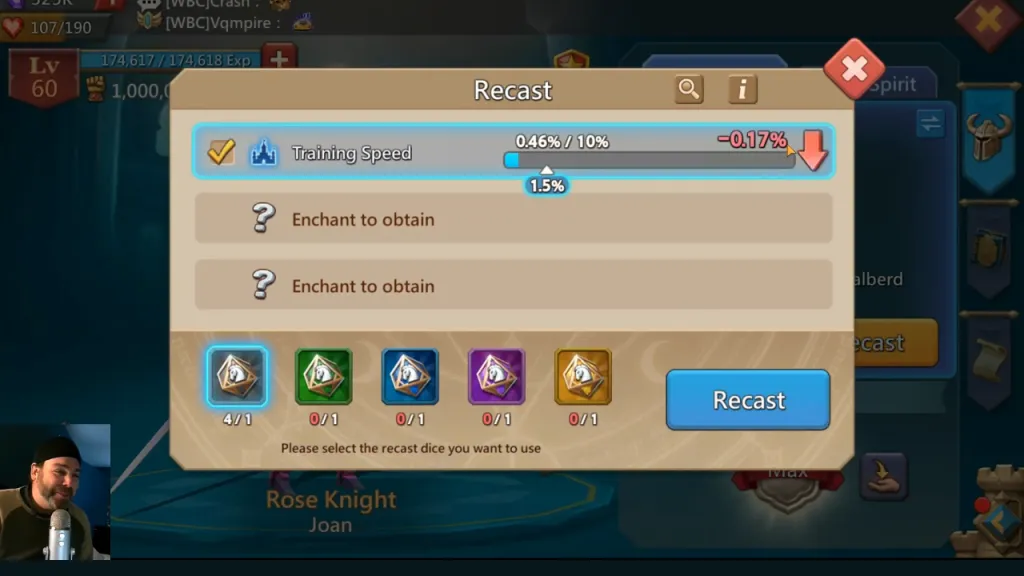
Open the original red-comparison screen. After an action, compare the remaining items, the selected row and the result on the right. To establish the outcome, inspect the Armament's actual statistic after leaving the window rather than relying on one arrow during an animation. Do not spend another item merely to test the previous one.
Do not confuse Enchant with Recast
At 07:34 in the same recording, a list of values appears over the Enchant window. That cannot automatically establish the selected Recast Die's range. The open function's name matters more than a similar border colour or one familiar statistic.
IGG's Google Play description checked for the original October 21 research distinguishes the resources: Dragonscales unlock and enchant Armaments; Recast Dice change selected effect values. This explains their purpose without supplying a complete range table or probability of improvement.
Before using an item, read that selected item's description and the effects of the function actually open. Record the full row name, die grade and displayed conditions. Do not transfer a number from another window to all five colours or calculate an improvement probability without the relevant distribution.
Before the next die
Define the target effect and a value you would consider sufficient. Then check the current bonus, selected item, available stock and use conditions. After an attempt, inspect spending and the saved result separately so that pressing the button is not mistaken for improvement.
If you have no Dice yet, read the Saga Chest reward-probability guide. Obtaining an item from a chest is a different question from improving an existing effect. Combining those probabilities does not help assess the next use.
The example's numbers belong to October 14 footage published before the update's general release. On October 21, the official store description explained the Dice's purpose but did not use those frames to confirm current ranges for every grade. Treat this as a way to read the screen; obtain the actual conditions of your next attempt from your own client.