

How to list a Mobile Legends account: skins, emblems and rank
Prepare an MLBB listing with permanent skins, owned heroes, emblems and your rank and season. Use the description template or send your materials to GM.
Published · Updated

For a Mobile Legends: Bang Bang listing, collect evidence of your permanent skins, owned heroes, emblems and current rank and season. Trial cards and an old achievement do not describe the account's current state. The GM account-listing guide explains the submission, review and permission to publish.
Already preparing your materials? Open the Mobile Legends: Bang Bang selling form. Start with what you know: we can clarify the price and missing details before preparing the listing.
What to show from your Mobile Legends account
- Client version, region and account level. Specify Bang Bang: Mobile Legends: Adventure is a different game.
- The number of permanent skins and your own collection. Keep trial cards and temporary skins separate from permanent ownership.
- Rare series and collaborations: hero name, skin name and evidence that you own it. A shop window shows an available item, not your purchase.
- Owned heroes and emblems: levels, unlocked talents and the sets you use. Do not substitute the game's entire hero roster for your account's roster.
- Current rank, stars and season; separately, your highest achieved rank. Label both clearly and include the date checked.
- Diamonds, BP and other resources separately; Starlight expiry if active. Describe ownership history and known restrictions without passwords, email addresses or codes.
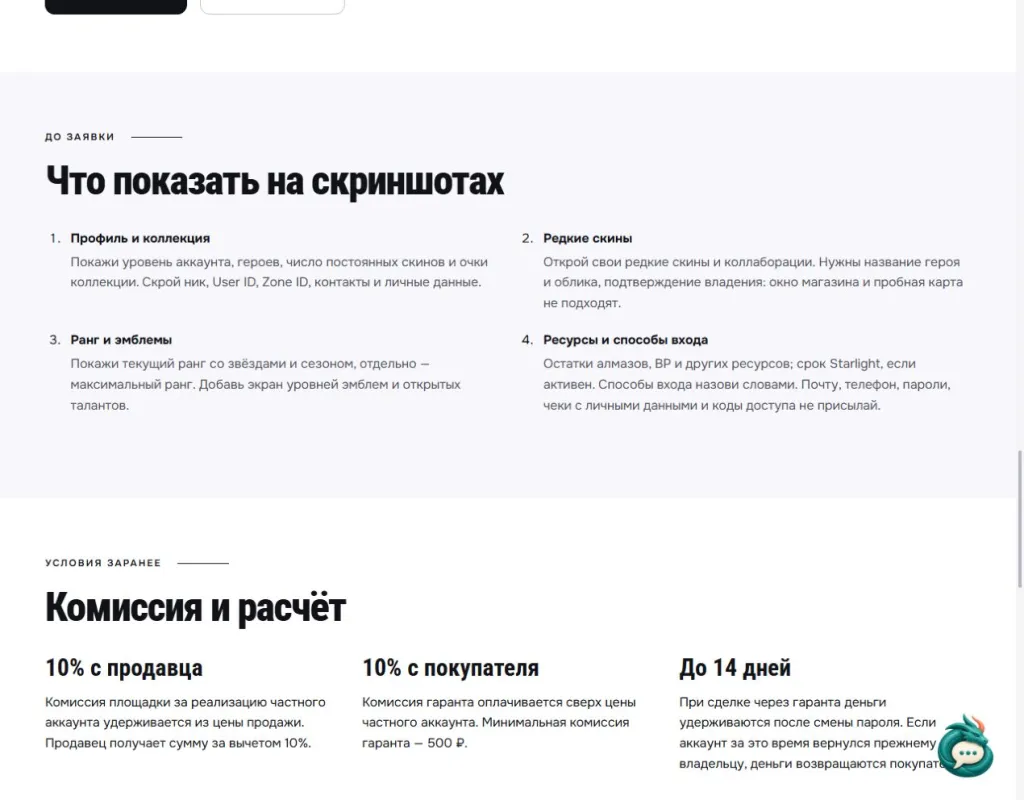
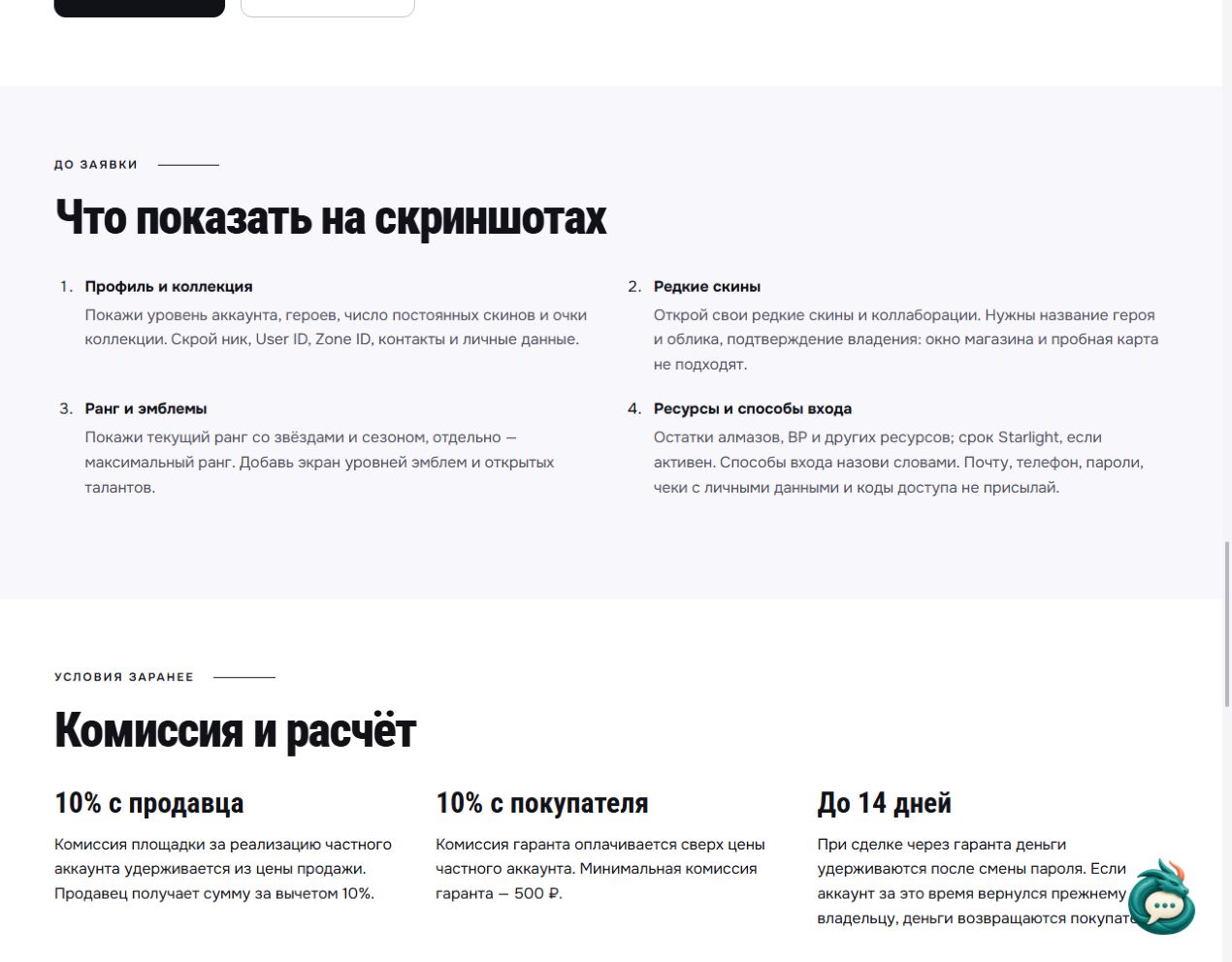
Open the original Russian-language checklist at full size · Read the checklist on the English game page.
Mobile Legends listing template
Copy these fields and fill them with your own information. Write “not sure” for anything unverified; replace “maxed” with a number or screenshot. Put your contact details in the submission form's separate contact field.
Mobile Legends: Bang Bang; version […]; region […]; checked on […]; account level […]; owned heroes […]; permanent skins […]. Rare skins: hero and skin name […]; temporary items […].
Emblems and talents […]; current rank, stars and season […]; highest rank and season […]; resources and Starlight expiry […]. Ownership history […]; names of linked login services […]; other games linked to M Account, if any […]; restrictions […]; price and currency […]; negotiable […].
How to discuss the account's price
A skin count starts the description. Comparing accounts requires the specific permanent skins, owned heroes, emblem development and confirmed progress. Diamonds spent are not the account's price: show the collection rather than one total purchase figure.
If you have not set a price, open Mobile Legends: Bang Bang account valuation and send the same materials. We will agree the valuation's format and terms beforehand. A similar listing's asking price is a reference, not a confirmed sale price; state your desired amount and currency separately.
How to send materials and prepare a listing
The Mobile Legends form separates permanent skins, owned heroes, current rank and its season. List rare skins and emblems in the description. User ID and Zone ID must not appear in the public listing text.
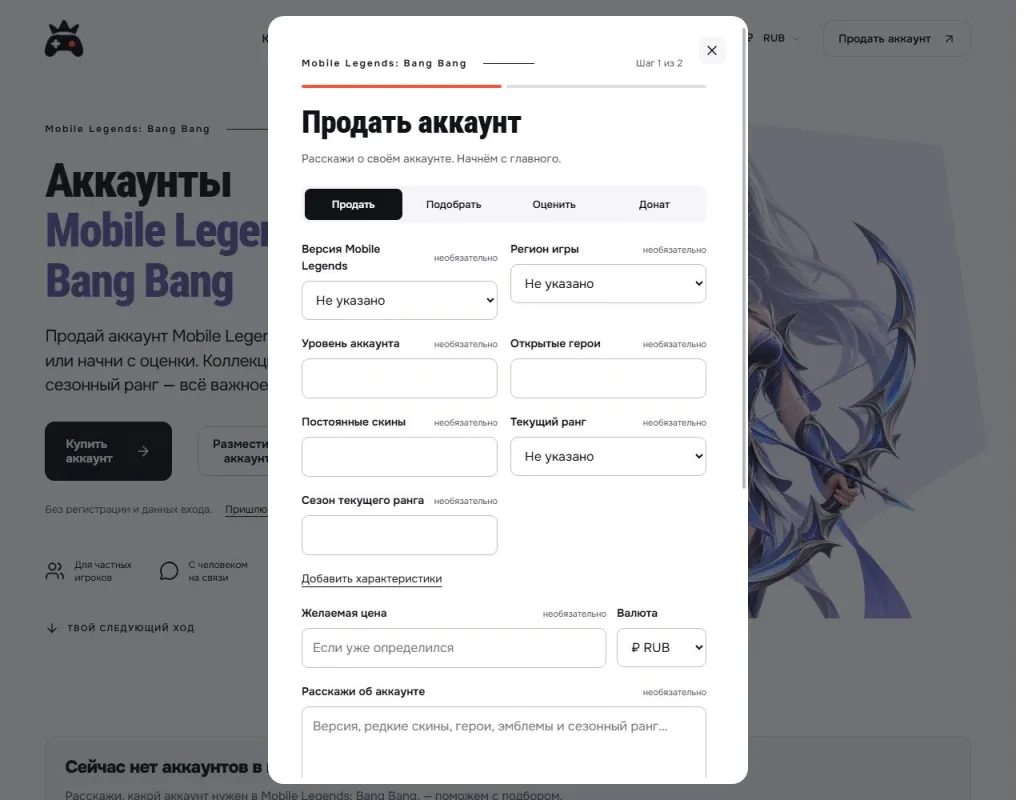
Open the original Russian-language form screenshot at full size. It shows the first submission step, not an example of a sold account.
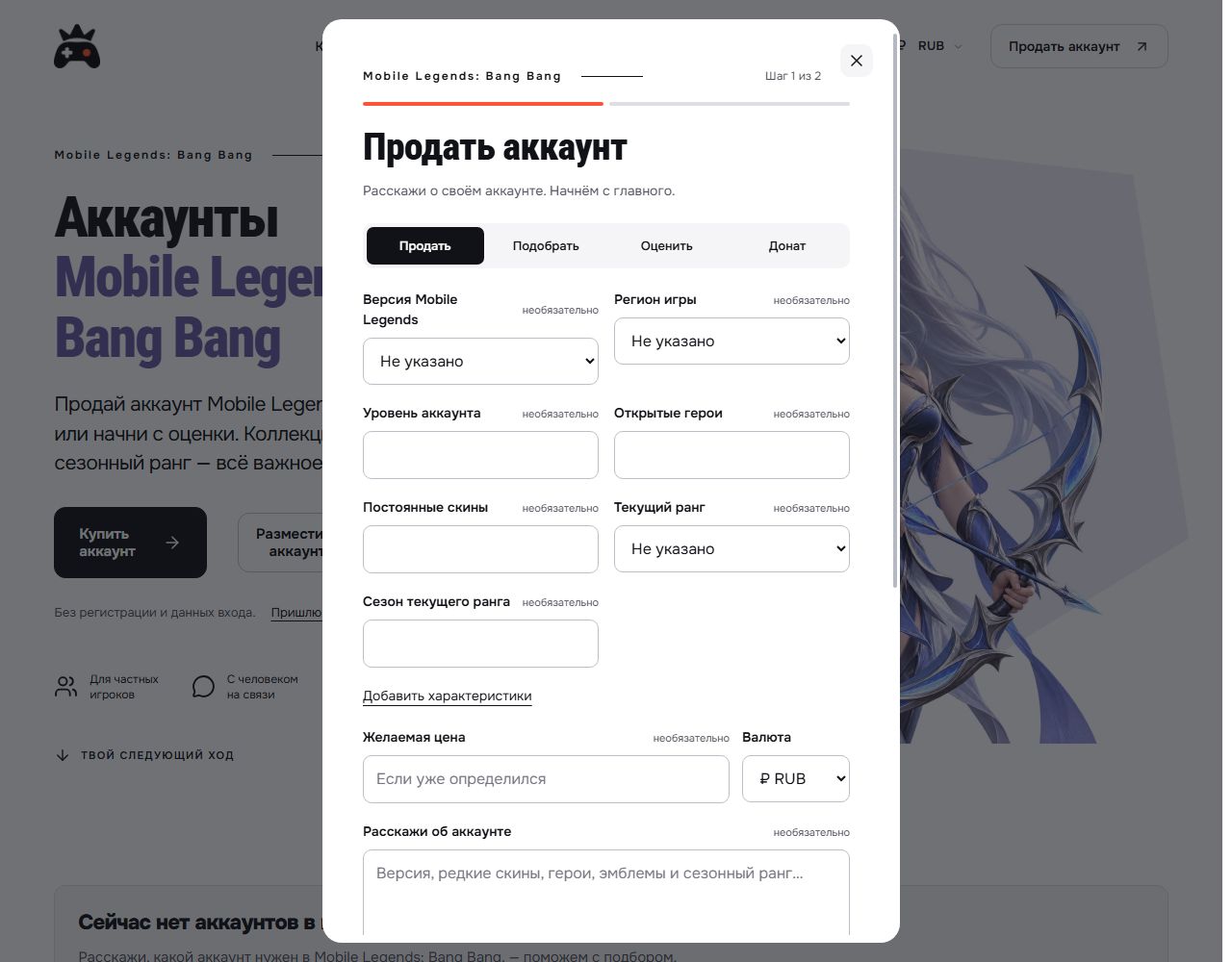
The form has two steps: account information, then contact details. Attach screenshots to the submission. Before sending, hide your nickname, game identifiers, community name, email address, payment details and conversations. Preparing a listing does not require passwords or login codes.
Prefer help with the description? Open “Send materials to GM”. Send the game name, known details, desired price and currency, and screenshots together. GM will clarify missing information and prepare the text and photos; publication follows review and your permission.
Keep the listing link after publication. If account details or the price change, tell GM and provide current information. If the account is sold or you change your mind, ask for the listing to be removed so buyers do not respond to an outdated offer.
What to clarify before a transaction
MOONTON's terms prohibit selling or transferring virtual items except where MOONTON expressly permits it; the service licence is non-transferable. M Account can connect several MOONTON games, so clarify which access is linked. GM does not override the publisher's restrictions or eliminate the risk of losing access.
Check the service terms and commissions beforehand on the Mobile Legends: Bang Bang page. Preparing a submission does not mean the publisher permits an account transfer.
Submit a Mobile Legends: Bang Bang account for listing · Send materials to GM.