How to sell a PUBG Mobile account: a listing checklist
Prepare collection screenshots, weapon upgrade levels, X-Suits and rank details. Use this checklist to describe a PUBG Mobile account and submit it to GM.
Published

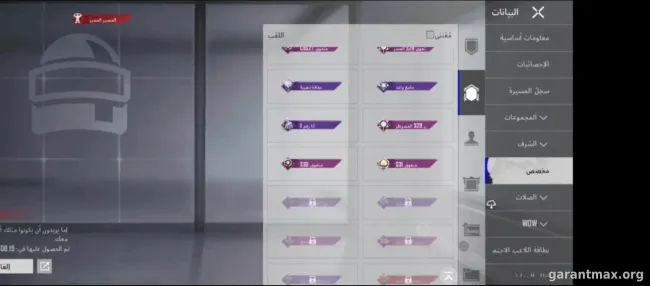
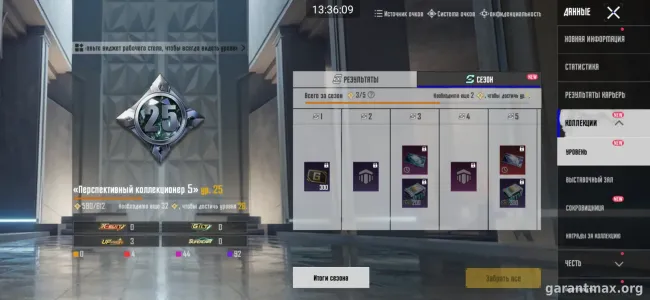
To prepare a PUBG Mobile account listing, show the permanent collection, the level of each upgradable weapon finish and each X-Suit. Label rank screenshots with the season and mode. GM's listing guide explains the review process and what to send.
Already gathering your materials? Open the PUBG Mobile selling form. Start with the details you know; the price and missing information can be clarified before preparing the listing.
Which PUBG Mobile screenshots should you prepare?
- Client edition, game region, account level and collection level. This guide covers the mobile game; do not use details from PUBG: BATTLEGROUNDS on PC.
- Names and current levels of your upgradable weapon finishes. A total count alone does not show what the collection contains.
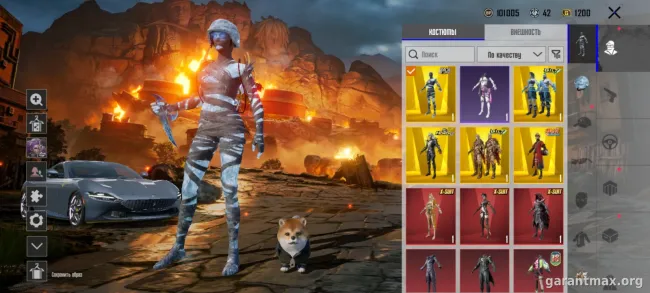
- Each X-Suit you own and its upgrade level. Show your own item screen: a shop preview does not demonstrate ownership.
- Permanent outfits, vehicles and notable sets. List temporary items separately, with expiry dates when known.
- Current rank, season and mode. Keep earlier achievements separate; a previous season's screenshot should not be presented as today's rank.
- UC balances, materials and other resources by type, coupon expiry dates and known restrictions. Describe Home or Metro Royale separately if they are a substantial part of the offer.
Use readable screenshots without cropping away names or upgrade levels. If a detail is uncertain, say so. Replace vague claims such as 'maxed' with a specific level or a clear screenshot.
A copyable PUBG Mobile listing template
Copy these fields and replace the brackets with your information. Write 'not sure' for anything you have not checked. Put contact details in the form's contact field, rather than the public description.
- PUBG Mobile: client edition [...]; game region [...]; details checked on [...].
- Account level [...]; collection level [...].
- Weapon finishes: name and level of each [...]. X-Suits: name and level of each [...].
- Permanent outfits and vehicles [...]; temporary items and expiry dates [...].
- Current rank, season and mode [...]; earlier achievements [...]; other modes [...].
- UC and resources [...]; known restrictions [...]; ownership history [...].
- Linked login services, names only [...]; asking price and currency [...]; offers welcome [...].
How to discuss the asking price
Upgrade counts and previously purchased UC are not enough to compare two accounts. Collections and upgrade levels differ. Provide screenshots of the items and their development, and state your asking price and currency separately.
If you have not decided on a price, open the PUBG Mobile valuation form and send the same materials. Agree on the format and terms first. A similar listing's asking price is a reference point, rather than proof of a completed sale at that amount.
How to submit your materials to GM
The form lets you specify the client edition, region, account and collection levels, and numbers of upgradable weapon finishes and X-Suits. Add item-by-item levels to the description. Use 'Not sure' when you cannot verify the client edition.
The form has two steps: account details, then a contact for follow-up. Attach readable screenshots. Before sending them, hide nicknames, player identifiers, community names, email addresses, payment details and private conversations. Login credentials are not needed to prepare a listing.
Prefer help with the description? Choose send materials to GM. Send the game name, known details, desired price and currency, and screenshots together. GM can clarify missing details and prepare the text and photos. Publication follows review and your approval; submitting the form does not automatically publish an offer.
Keep the published listing link. If the details or price change, tell GM and provide updated information. Ask for the listing to be removed when the account is sold or you no longer want to offer it.
Check the publisher's rules before proceeding
The published PUBG MOBILE EULA treats an account as personal and prohibits transferring access to another person. Check regional clients' rules separately. GM cannot override publisher restrictions or guarantee protection against an account ban or loss of access. Preparing a listing does not mean that the publisher permits a transfer.
Review service terms and fees on the PUBG Mobile page before agreeing to a transaction. Browse current PUBG Mobile listings to see how details are presented.
Submit a PUBG Mobile account for review or send your materials to GM.