PUBG Mobile Brainrot: map code 28321182, broom and wand
Find the Brainrot creation in World of Wonder with code 28321182. Check the Magic Broom and Brainrot Wand labels, and learn what PERM and TEMP mean.
Published · Updated
PUBG Mobile's Brainrot map lets you fly on a Magic Broom and try an unusual wand. Its official map code is 28321182, and the creation is in World of Wonder. If you are new to the section, our WOW mini-games and map-code search guide explains how to find a creation by code. Below is what the official video shows and what to check before redeeming items.
How to find the right map
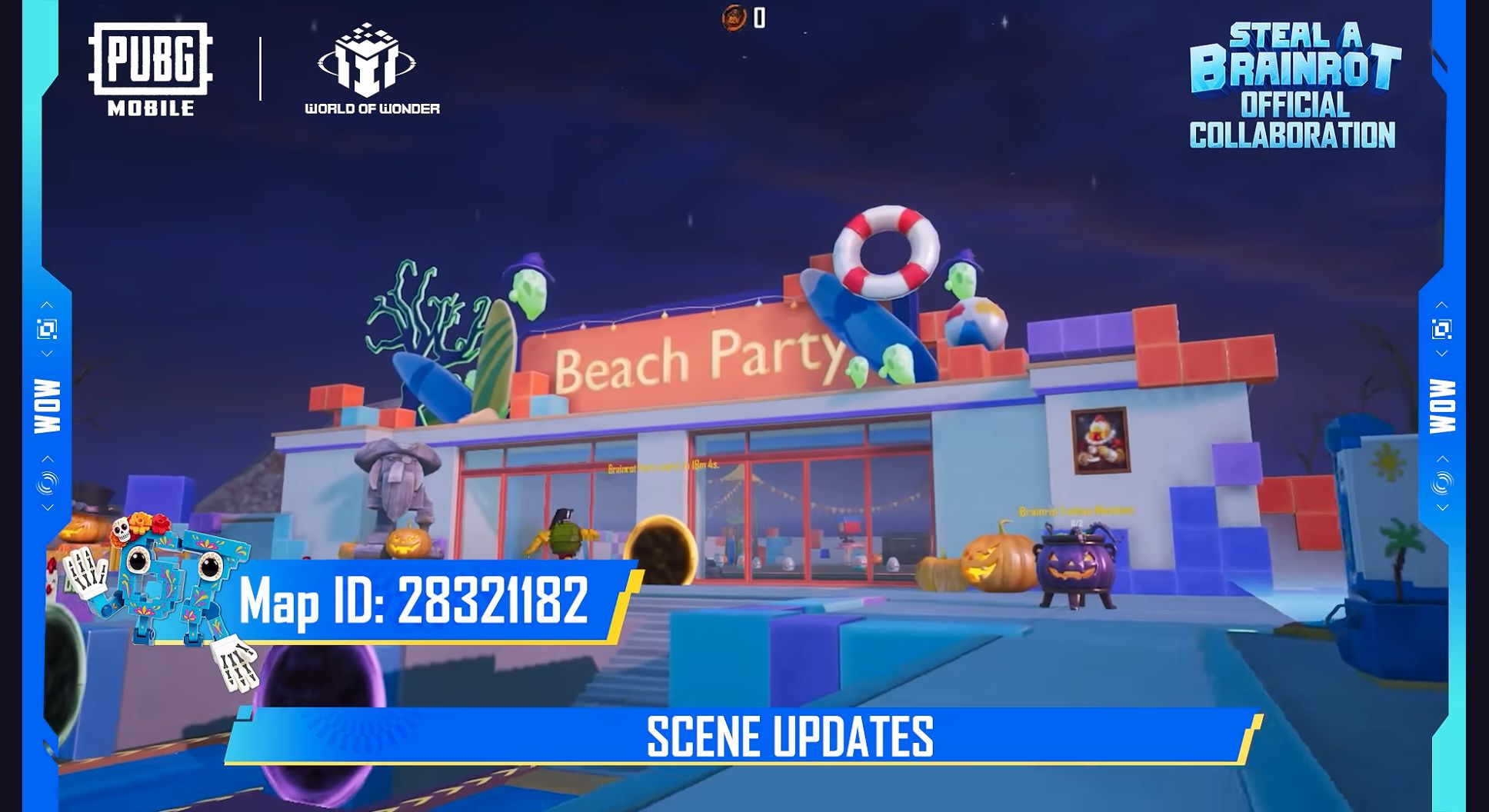
World of Wonder, or WOW, is PUBG Mobile's section for player-created experiences. Brainrot here names a particular experience with unusual characters. The official video dated 9 October 2026 gives Map ID 28321182 and shows updated scenery, character upgrades, the broom and the Brainrot Wand.
- Open World of Wonder in PUBG Mobile.
- Enter 28321182 in the creation-code search.
- Select the matching map, check its description, then start matchmaking.
These steps follow How to play a creation in the official WOW Wiki. A map code finds a creation; entering it in a promotional-code redemption field will not award a prize. If the map does not appear, check all eight digits and make sure you are using the creation search.
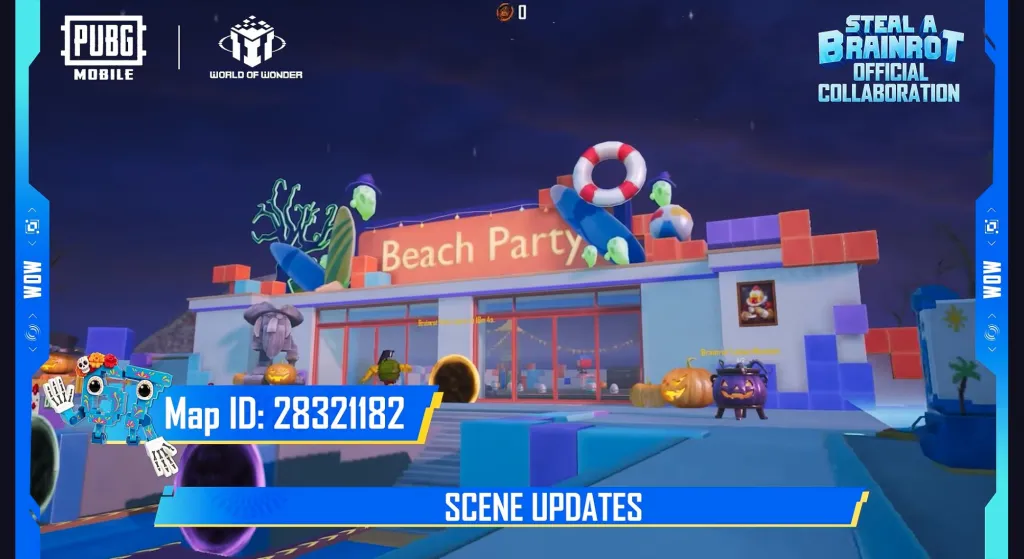
The original frame prints the code directly over the updated location. Open the full-size original map frame. A familiar theme or similar name alone does not prove you have selected this creation.
Broom and wand: check PERM and TEMP
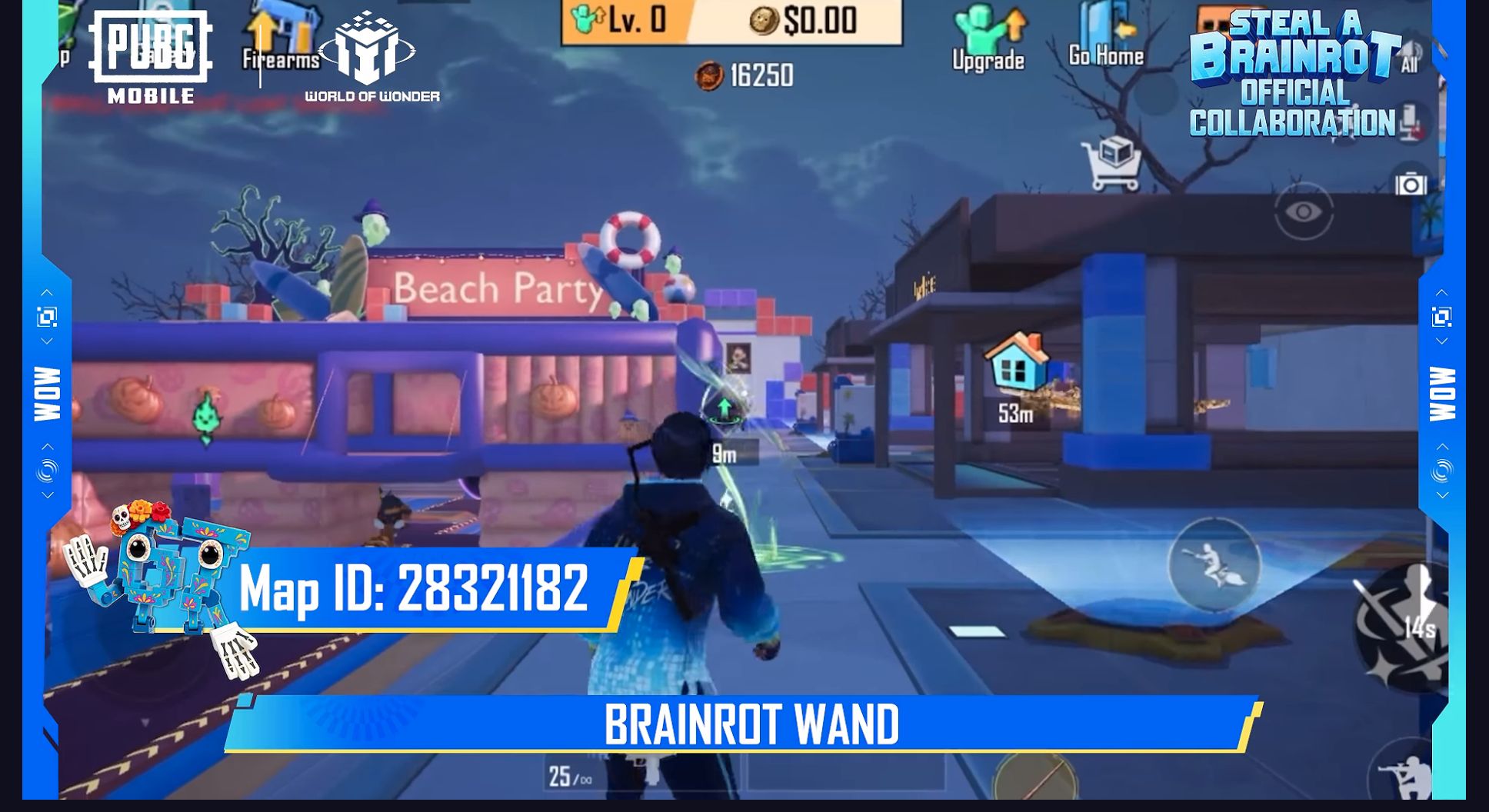
The Magic Broom is for flying, as stated in the official video's description. The Brainrot Wand is a separate wand shown in action. To explore the experience, start by finding the map and reading its current instructions. Decide whether to redeem an item after checking that item's conditions.
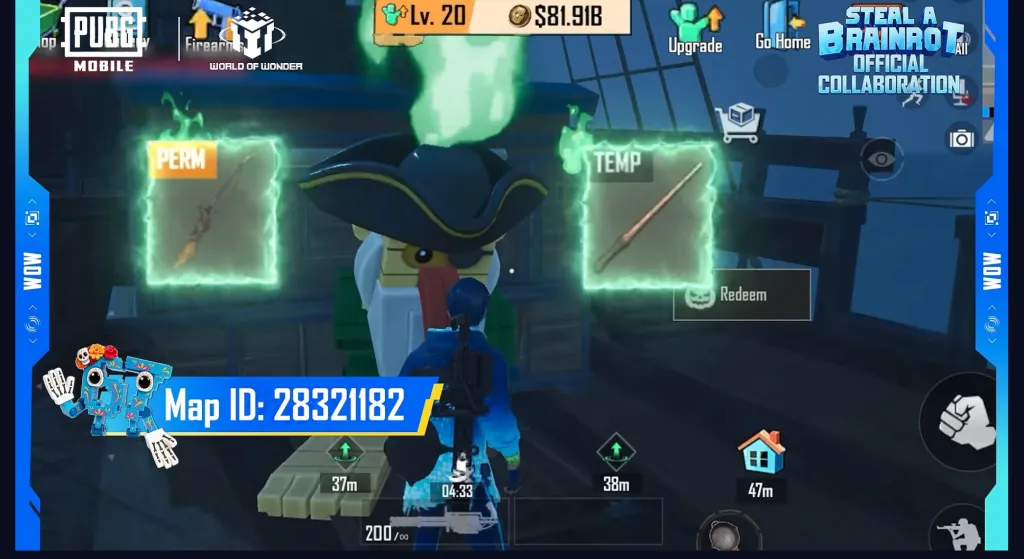
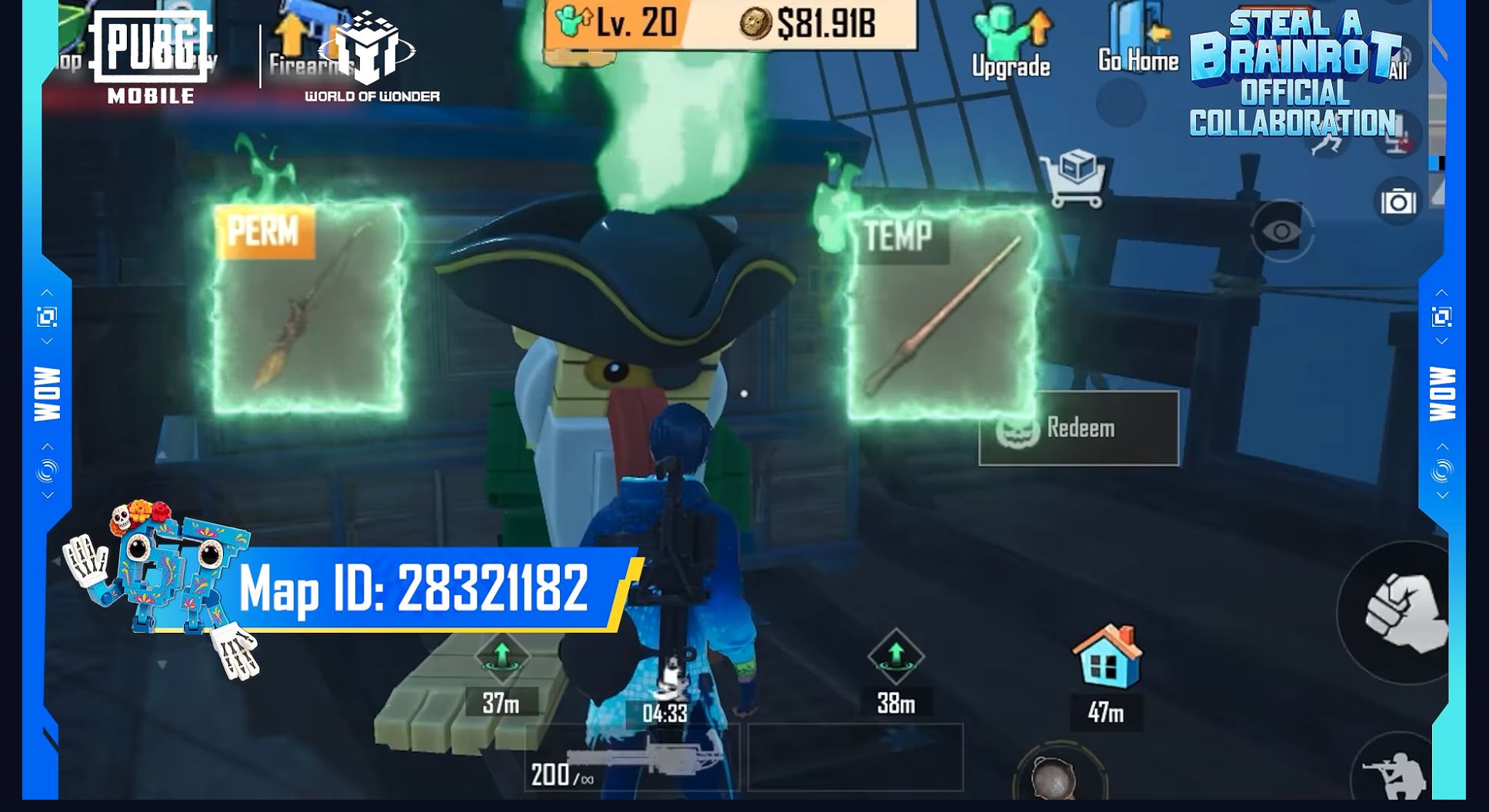
In the menu shown, the broom is labelled PERM and the wand TEMP. PERM means permanent; TEMP means temporary. Notice that distinction before selecting Redeem, the exchange button. The full-size original item screen makes the labels easier to inspect.
This frame does not establish the exact TEMP duration, redemption price or where PERM ownership persists. It therefore cannot support a promise of an everlasting item in your account's main collection. Before confirming, read the current description: the price, duration and where the item can be used. The displayed balance and level belong to the demonstration character.
What is known about the wand and upgrades
The official description invites players to upgrade Brainrot characters, and the video includes a separate Upgrade Brainrots sequence. That confirms upgrades in the demonstrated experience, but not their full cost. The video provides no readable table of every level or a guaranteed reward for each step.
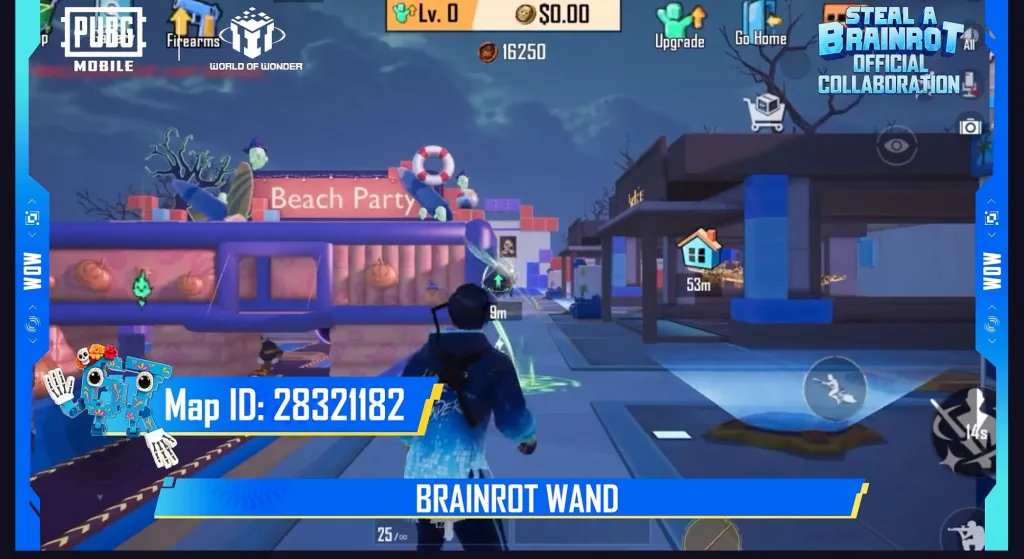
The wand is demonstrated separately from the redemption menu. The original Brainrot Wand frame preserves the interface and numbers. A short demonstration does not establish exact effect parameters, so we do not calculate its duration, damage or acquisition requirements from this frame.
What to try first
Set a modest goal for your first visit: find the map by code, explore the updated location and read the broom and wand conditions. That lets you judge whether you enjoy the experience before planning upgrades or redemptions. Follow the map's current instructions rather than treating the promotional character's balance as your starting budget.
For another short WOW activity, see B.Duck Knock Out: map code, collision direction and force. It is a different experience with different rules; the duck map's code does not replace 28321182.
Official video description and WOW Wiki rechecked on 21 October 2026 for this English version; the video was published on 9 October. We have not tested the game client, current prices, availability in your regional client or the wand's exact parameters. All three gameplay frames retain the original labels and interface.