How to sell a RAID account: roster, builds and listing screenshots
Prepare your own Champion roster, development, builds and boss results for a RAID account listing. Use a description template and submit materials to GM for review.
Published · Updated
To submit a RAID account for sale, prepare your own Champion roster, main builds and recent progression results. Account Level and a total Legendary count are not enough: a prospective buyer needs to understand what the teams can do. The GM listing guide explains review and publication.
Already preparing materials? Open the RAID: Shadow Legends sale form. Start with what you know; price and missing details can be clarified before the listing is prepared.
What to show from a RAID account
- Account Level and the date checked. Capture the profile and hide the nickname, player ID and Clan name.
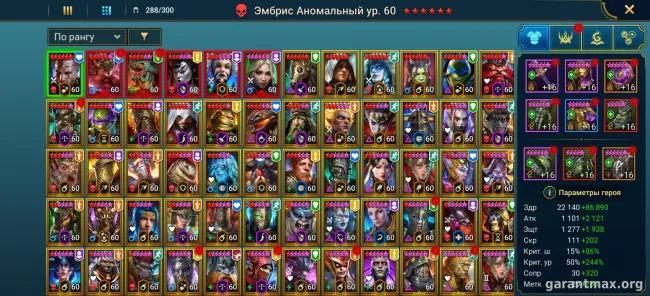
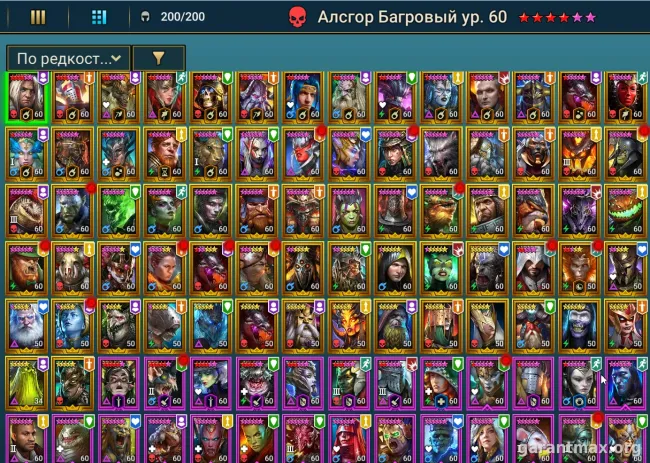
- Your own Champions and Vaults. Count owned copies, including duplicates. Void Legendaries are included in the total Legendary count; list Mythicals separately. The general Champion Index is not proof of ownership.
- Key teams: Champion names, skills, Masteries, Awakening and Empowerment. Show actual progression screens instead of saying everything is maxed.
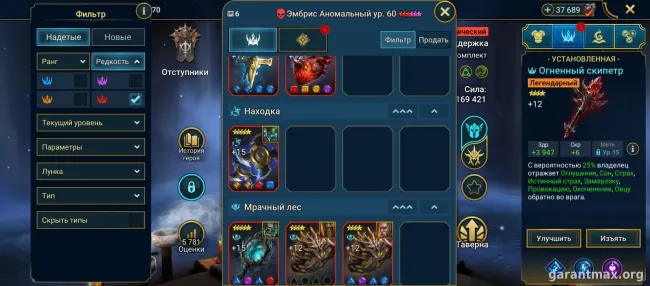
- Gear and final stats for main Champions, Relics and the Great Hall. A close-up of one item does not show a complete build.
- Clan Boss, Hydra, Chimera and important modes: difficulty, date and result. State separately whether the clear can be repeated on Auto.
- Shard counts by type, Skill Tomes, Gems, Energy and Silver. Describe known restrictions and ownership history without sign-in information.
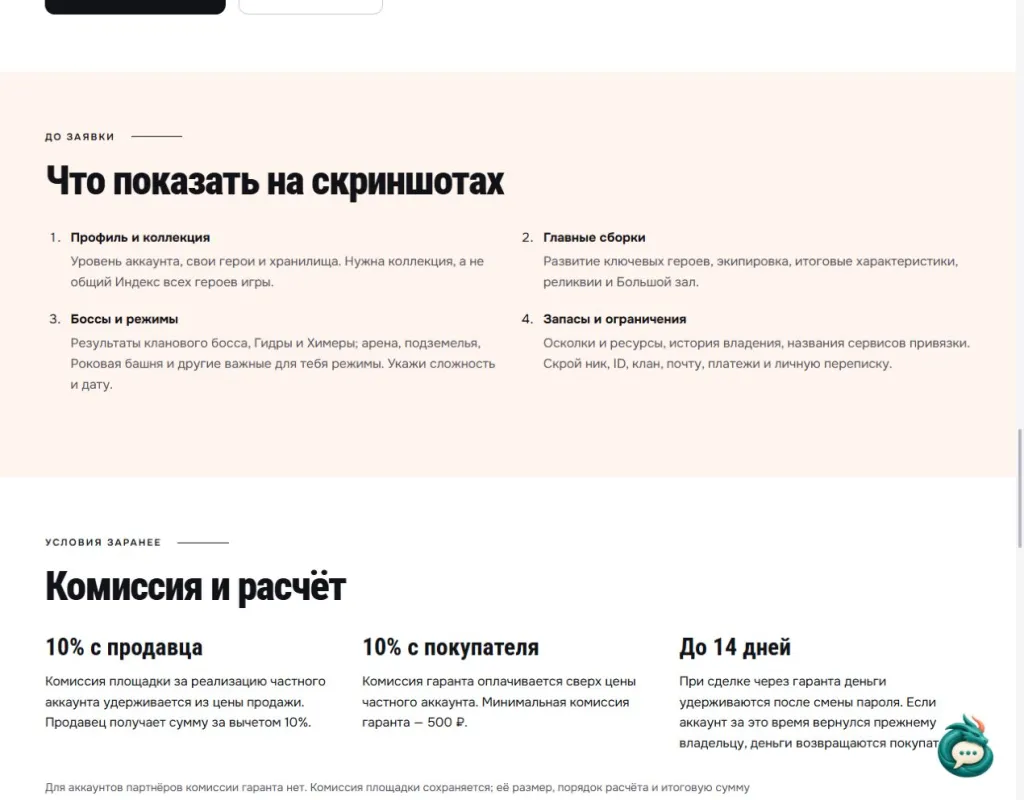
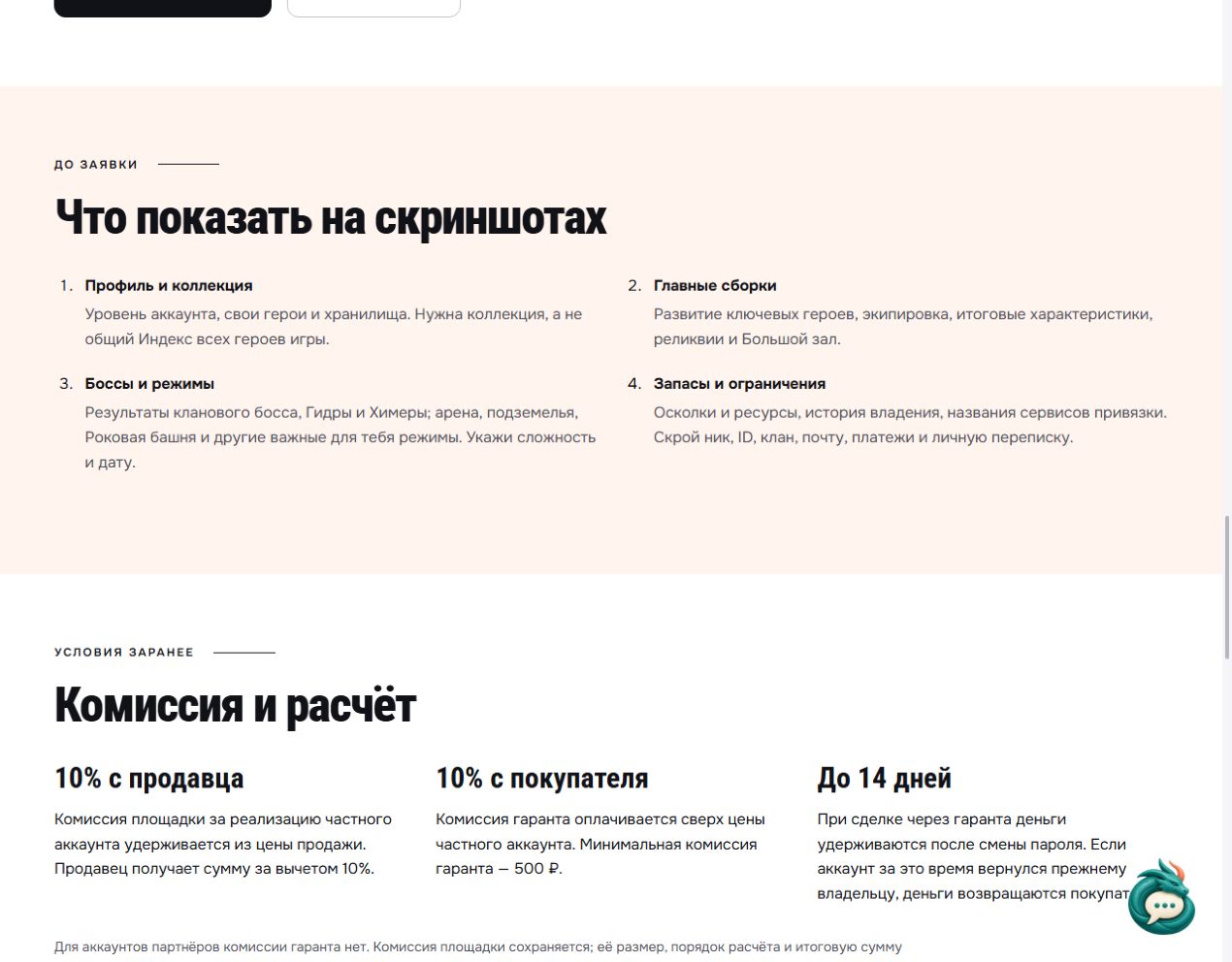
Open the archived Russian checklist at full size. Read the game-page checklist in English. The screenshot’s historical terms show a 10% seller fee, a separate 10% buyer guarantor fee with a 500 RUB minimum, and holding for up to 14 days. Treat them as a dated example and agree current fees, settlement and final amounts before a transaction.
When showing enhanced gear, check how Glyph enchanting works. This helps label the stats accurately without promises the screenshot does not support.
RAID description template
Copy the fields and fill them with your information. Write “unknown” for anything unverified; give a number or screen instead of “maxed.” Put contact details in the submission’s separate contact field.
RAID: Shadow Legends; checked on […]; account Level […]; Legendary copies […], including Void Legendaries […]; Mythicals […]. Key Champions and development […]; teams by purpose […].
Builds and final stats […]; Great Hall and Relics […]; bosses: difficulty, result and Auto consistency […]; Arena and other progress […]; reserves […]. Ownership history […]; names of sign-in services […]; known restrictions […]; price, currency and negotiability […].
How to discuss the account’s price
The same Champion count does not make two accounts equally valuable. Compare the actual teams, development, gear and verified results. Do not derive a price from total spending or a single successful boss hit.
If the price is undecided, open RAID: Shadow Legends account valuation and submit the same materials. The valuation format and terms are agreed beforehand. Another listing’s asking price is a reference, not a confirmed transaction price. State your requested price and currency separately.
How to submit materials and prepare a listing
The RAID form has separate fields for account Level, Legendary and Mythical counts, and key Champions. Add further details to the description or use Add specifications. Leave unknown values blank so they can be clarified with GM.
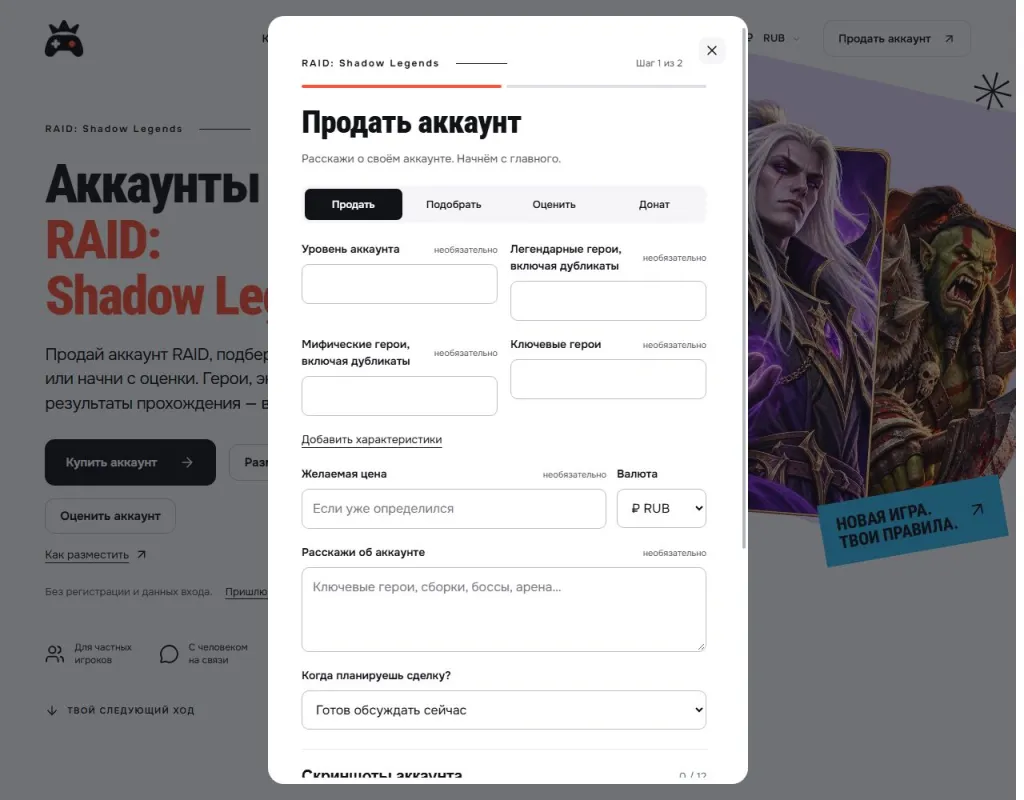
Open the archived form at full size. It shows the first submission step, not a sold account.
The form has two steps: account details, then a contact method. Screenshots attach to the submission. Before sending, hide nicknames, player identifiers, community names, email addresses, payments and private messages. Passwords and sign-in codes are not needed to prepare a listing.
For help with the description, choose Send materials to GM. Send the game, known details, requested price with currency and screenshots as one set. GM clarifies missing details and prepares text and images. Publication follows review and your permission.
Keep the listing link after publication. If stats or price change, tell GM and supply fresh information. If the account is sold or you change your mind, request removal so prospective buyers do not respond to an outdated offer.
What to clarify before any transaction
Plarium explicitly prohibits buying, selling and trading accounts and may refuse recovery for an account obtained through a third-party service. GM assistance does not override publisher rules or remove the risk of losing access.
Check assistance terms and fees in advance on the RAID: Shadow Legends page. Preparing a submission does not mean the publisher permits an account transfer.
Submit a RAID: Shadow Legends account for review. Send materials to GM.