RAID Skill Tomes went into A1? Plan books before upgrading
Needed an A3 cooldown but upgraded another skill? Check random selection, actual results and the value of a duplicate Champion using original Plarium screens.
Published · Updated
A RAID Skill Tome does not let you choose which skill receives the upgrade. Plarium’s official Tavern guide explicitly describes random skill selection. With a small supply of books, define a particular goal and spending limit first.
The original context was a player’s 17 October question: eight Legendary Skill Tomes, several potential recipients and plans for Orynyx. That frames a useful decision, but another player’s roster cannot establish who needs books most on your account.
You need A3, but A1 improves instead
Skill Tomes, commonly called books, are used in Upgrade Skills. Choose a suitable Rarity. A1, A2 and A3 are common shorthand for the first, second and third skills. A number alone is not a plan: read what each upgrade step changes.
If you need a shorter cooldown, find that exact upgrade in the description. More damage on another skill still improves the Champion, but does not solve that particular problem. Eight books do not mean eight upgrades to the chosen skill.
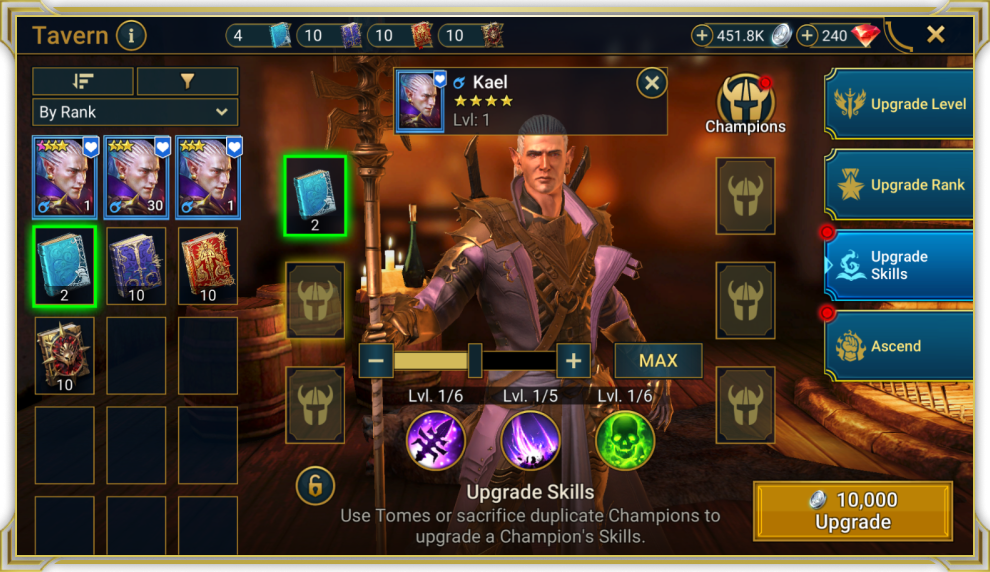
Open the Tome-selection screen at full size.
After applying books, check the effect as well as the Level
The official result example below shows an increased buff/debuff chance for one skill and increased damage for two others. These are different changes. Compare the result with your reason for spending: has the required upgrade appeared yet?
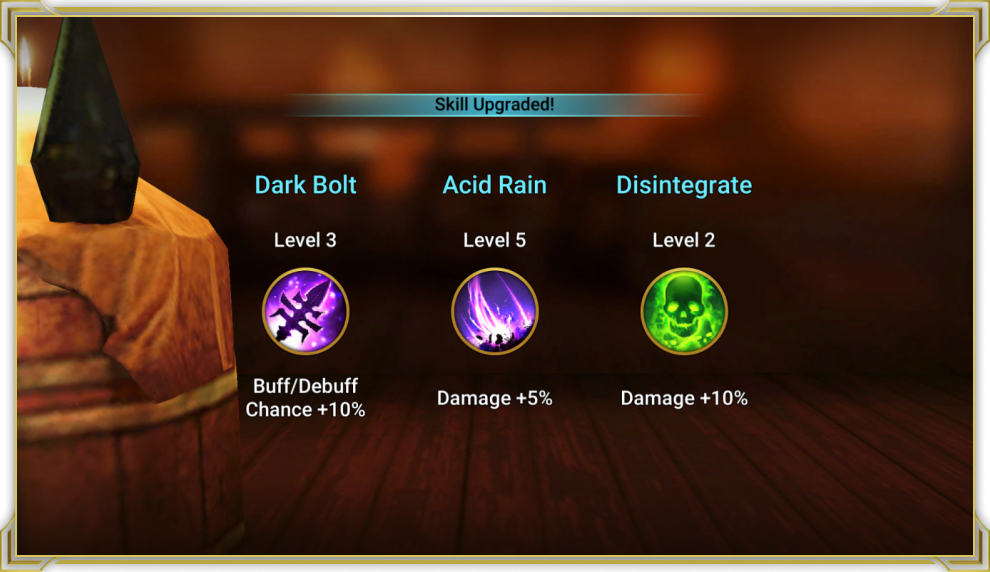
Open the upgrade results at full size.
For a small supply, apply books in small batches and inspect the result before continuing. This lets you stop once the goal is reached; it does not make selection less random. Players usually use fully booked to mean all skills are upgraded. For a particular task, one useful upgrade can matter more than that label.
A duplicate Champion has a cost too
The Tavern also accepts duplicates of the same Champion at any Level or Rank. Do not treat a spare copy as a free book: check its other uses in the Guardian Ring. Faction Guardians require matching pairs; removing one disables that Chamber’s bonus and the bonuses of higher Chambers. Duplicate Epic, Legendary and Mythical Champions can also be used for Empowerment.
First decide whether the second copy is needed in a team or Faction Guardian pair, then consider consuming it. Losing a useful pair for an unwanted skill upgrade is poor saving.
Plan before the first book
- Write one job for the Champion: the battle and skill that should help.
- Find the target upgrade in the skill description and compare it with the current state.
- Set how many Tomes you accept spending even if the goal is not reached.
- After applying them, compare the result with the goal and continue only within that limit.
Then check the Saved Team’s Skill Instructions for Auto. Upgrading a skill and using it in the right order need separate checks. Do not spend the last books merely because an old preset failed to produce the expected result.
The source guides were reread on 21 October 2026. For a new Champion, first inspect the current upgrade steps in-game. This guide makes no universal promise that a particular number of books will be enough.