Open or save RAID Soulstones? Three checks before summoning
Check your goal, event reward and spending limit. Separate random summons from the Soul Merchant and understand why selling Souls does not guarantee your reserves back.
Published · Updated

Before using Soulstones, decide whether you want to improve a team or earn an event reward. These are different goals. Our Awakening and Soul-type guide explains why even a 5★ Soul may not be usable yet. Here we check whether to spend now and when to stop.
Every boosted-summon announcement prompts a familiar debate: open everything or save for another event? One answer rarely fits every account. A player improving a current team and one saving for a specific reward can make the same spend with very different consequences. Compare the goal and cost, not only the multiplier.
1. Name the improvement you actually need
Start with a Champion and a job, such as improving the Champion you use on a particular floor, rather than obtaining any impressive Soul. Check your roster and current Awakening. Decide beforehand whether you would store a random Soul for a Champion you do not own. Potential future value and improving today’s team are different results.
Mortal Soulstones give 1–6★ Perfect Souls, Immortals give 3–6★ and Eternals give 5–6★. Mortal and Immortal can give Rare, Epic, Legendary and Mythical Souls; Eternal can give Epic, Legendary and Mythical Souls. High stars do not promise the Champion you want.
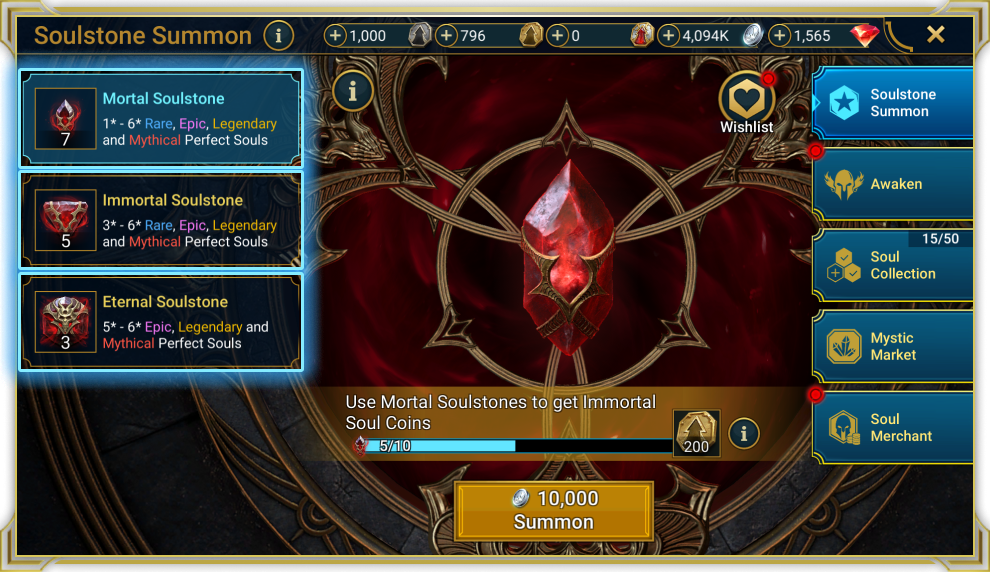
Open the summon screen at full size.
The support guide describes a ×10 Wishlist boost for the selected Champions’ Souls. It applies to the three standard Soulstone types, not Prism Soulstones. Check your selected targets before summoning. ×10 is a chance multiplier, not a guaranteed drop. Do not apply figures from our Shard Progressive Chance guide to Souls: they use a different system.
2. Compare the spend with a specific reward
If spending for an event, find the target reward and scoring condition first. In the Bastion, open Events, select the active event and scroll to its rules. Plarium says these list actions and their points; some events have daily caps. For a Tournament, read that Tournament’s rules rather than a nearby summon-boost announcement.
Record the points still needed, the Soulstones you are prepared to use and the reserve you will keep. If points depend on the Souls summoned, the exact outcome is unknown. Label a plan requiring lucky drops as a risky scenario instead of calling it a sufficient budget.
Compare both activities’ start and finish times: the summoning boost and the reward event. Neighbouring calendar entries do not prove matching timers. Read which Soulstones and outcomes are boosted. This guide does not give current ×2 percentages or confirm its deadline; use the active screen for those terms.
3. Separate random summons from choosing a Soul
Soul Essence is exchanged at the Soul Merchant, whose stock can include 1★ Perfect Souls and 2–6★ Split Souls. This is a different route: choose an available Soul rather than accept a random Soulstone result. The item you need must appear in the stock; it is not an immediate-acquisition promise.
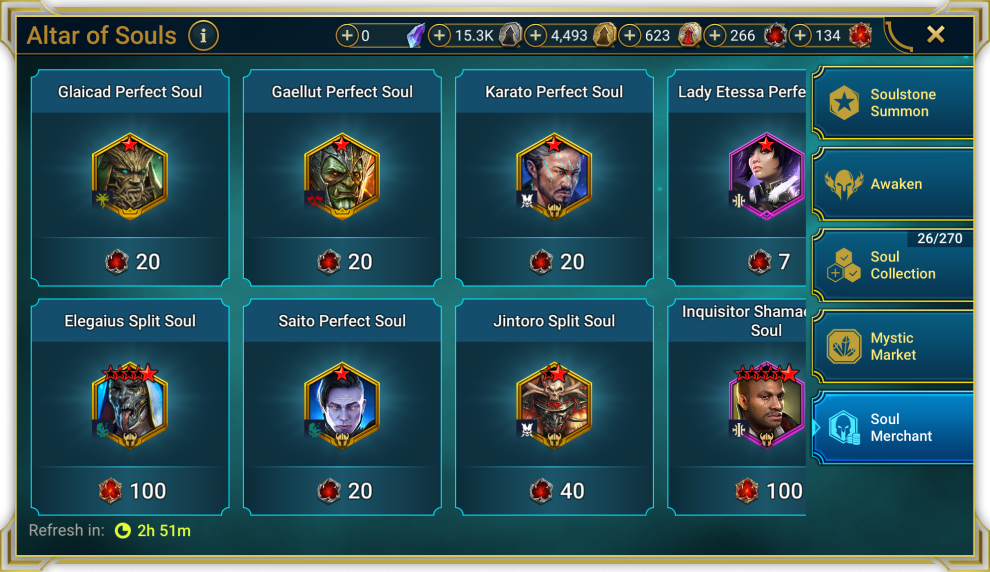
Open the stock screen at full size.
Soul Coins buy Soulstones and Soul Essence at the Mystic Market. Unwanted Souls can be sold for Coins. “Open everything, sell the drops and recover your supply” therefore needs its own calculation: which Souls will you sell, what will they yield and what will you buy? Useful Souls you keep do not become resources for another summon.
Do not assume you will sell the whole collection while also keeping team upgrades. Expected value is not a guaranteed return of your particular small reserve. Consider two outcomes: the result suits your Champions; or it does not, and the spent Soulstones are needed for your next goal. Can you accept the second?
Set the limit before pressing Summon
- Name the goal: improve a selected Champion or reach a specific event reward.
- Check the Soulstone, Wishlist, active rules and timers.
- Set the spending limit and the reserve you will keep even if the results disappoint.
If you accept random results while seeking useful Souls, stick to your limit. If saving for a particular reward, spending should advance a clear step towards it. Several misses in a row are not a reason to raise the limit. Saving is also a useful decision when conditions or budget remain unclear.
The source Altar and event rules were reread on 14 October 2026, with English Altar terminology checked again on 22 October. Repeat these checks before another summon: the goal may stay the same while the stock, rewards and event conditions change.