

How to sell a Viking Rise account: city, heroes and troops
Prepare your Viking Rise account details, listing text and fresh screenshots. Cover the city, research, owned heroes, troops and stock before submitting materials to GM.
Published · Updated

To prepare a Viking Rise account for sale, collect details about the city, research, heroes you own and troops. One Might figure does not explain what the next player would receive. Our GM account-listing guide explains the review and publication process.
Already collecting materials? Open the Viking Rise selling form. Start with what you know; the price and missing specifications can be clarified before a listing is prepared.
Which Viking Rise specifications to include
- Current Might, main building level and screenshot date. If needed, provide the kingdom number in the designated request field; do not put it in the public description.
- Research: important completed branches and unlocked troop tiers. Do not describe a planned improvement as completed.
- Heroes you own, skill development and main line-ups. Give specific levels; the full hero index or a preview screen does not prove ownership.
- Equipment and stats for the main line-ups. If the account has SP development, show its current state separately from a future upgrade preview.
- Troop types, unlocked tiers and counts, plus dragon development. All figures should refer to the same date.
- VIP, resources, speed-ups, ownership history and known restrictions. Migration options need a separate check; do not promise unrestricted migration.
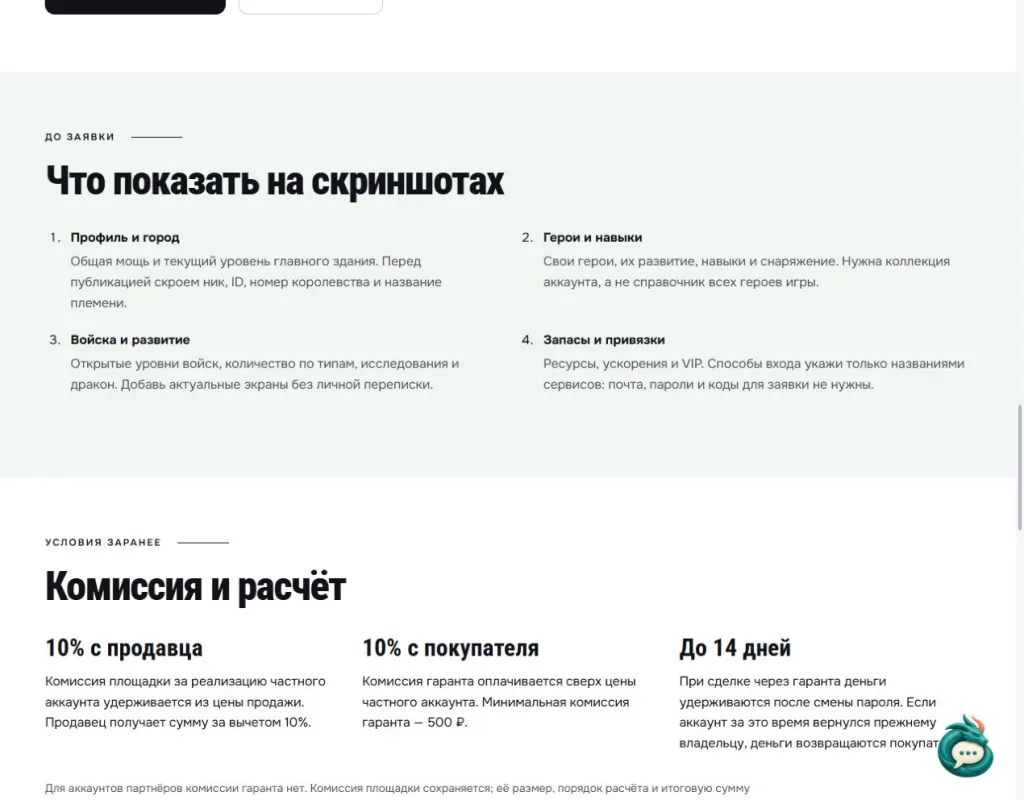
Open the archived checklist at full size · Read the English checklist on the game page.
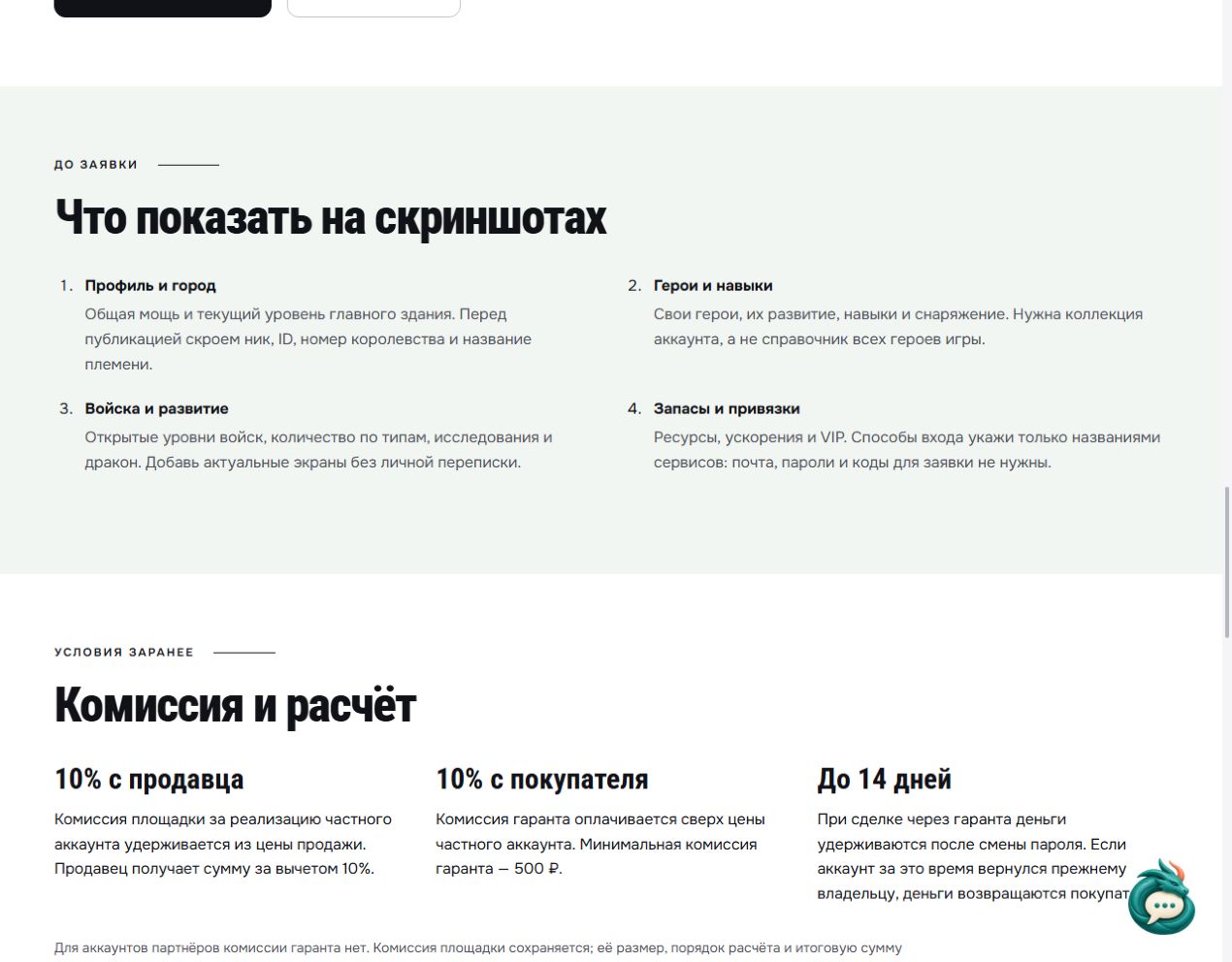
Before filling in SP hero details, check how an SP preview differs from a completed upgrade. This helps you label the account accurately without claiming something the screenshot does not establish.
Viking Rise listing template
Copy the fields and fill them with your own data. If something is unverified, write “unknown”. Replace “maxed” with a number or a screenshot. Put contact information in the separate request field.
Viking Rise; checked on […]; Might […]; main building […]; key research […]; unlocked troop tiers […]; counts by troop type […].
Main heroes and skills […]; SP development […]; equipment and line-ups […]; dragon […]; VIP […]; resources and speed-ups […]. Ownership history […]; known transfer restrictions […]; linked sign-in service names […]; price and currency […]; negotiable […].
How to discuss the account’s price
Might is a useful starting point, but it does not replace the development details. Compare the city, research, troops and line-ups with similar current listings. Strong heroes without their skill details, or large stockpiles without a date, leave too many questions unanswered.
If you have not decided on a price, open the Viking Rise account valuation form and send the same materials. The format and valuation terms are agreed in advance. A similar listing’s asking price is a reference, not a confirmed transaction price; state your own asking price and currency separately.
How to submit materials and prepare a listing
The Viking Rise form starts with Might, main building, kingdom and troops. Add heroes, skills, research and dragon development to the description. If you prefer not to type the whole list, attach readable screenshots and briefly explain what each one shows.
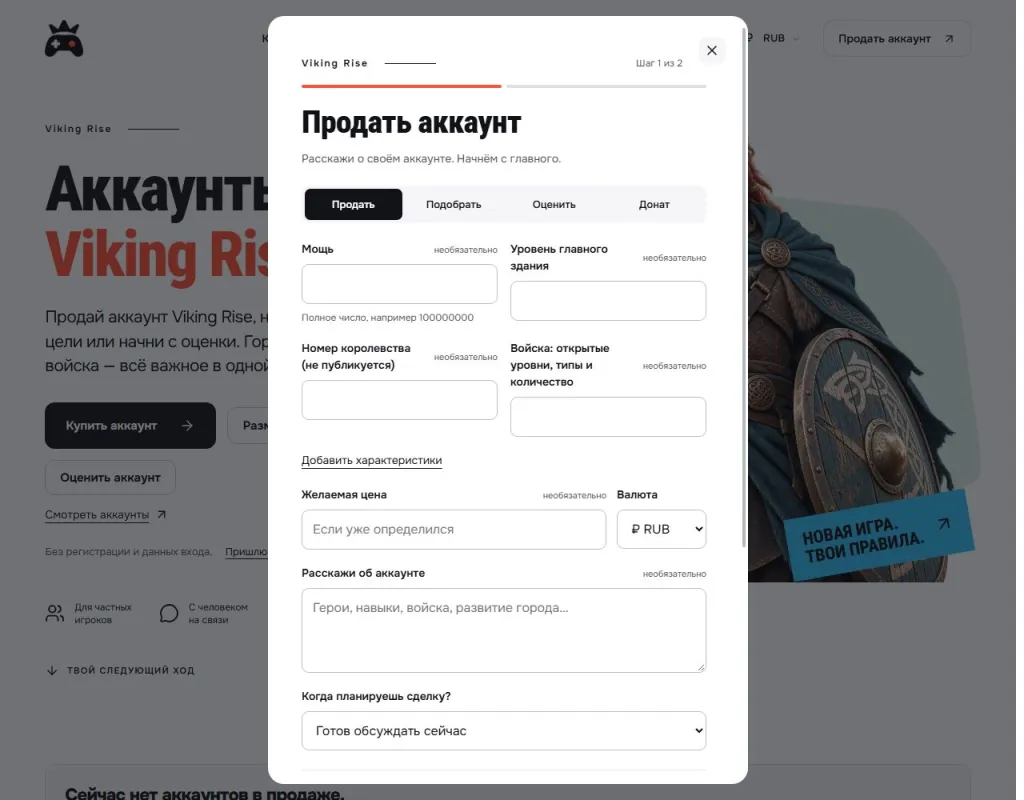
Open the archived form screenshot at full size. It shows the first request step, not an example of a sold account.
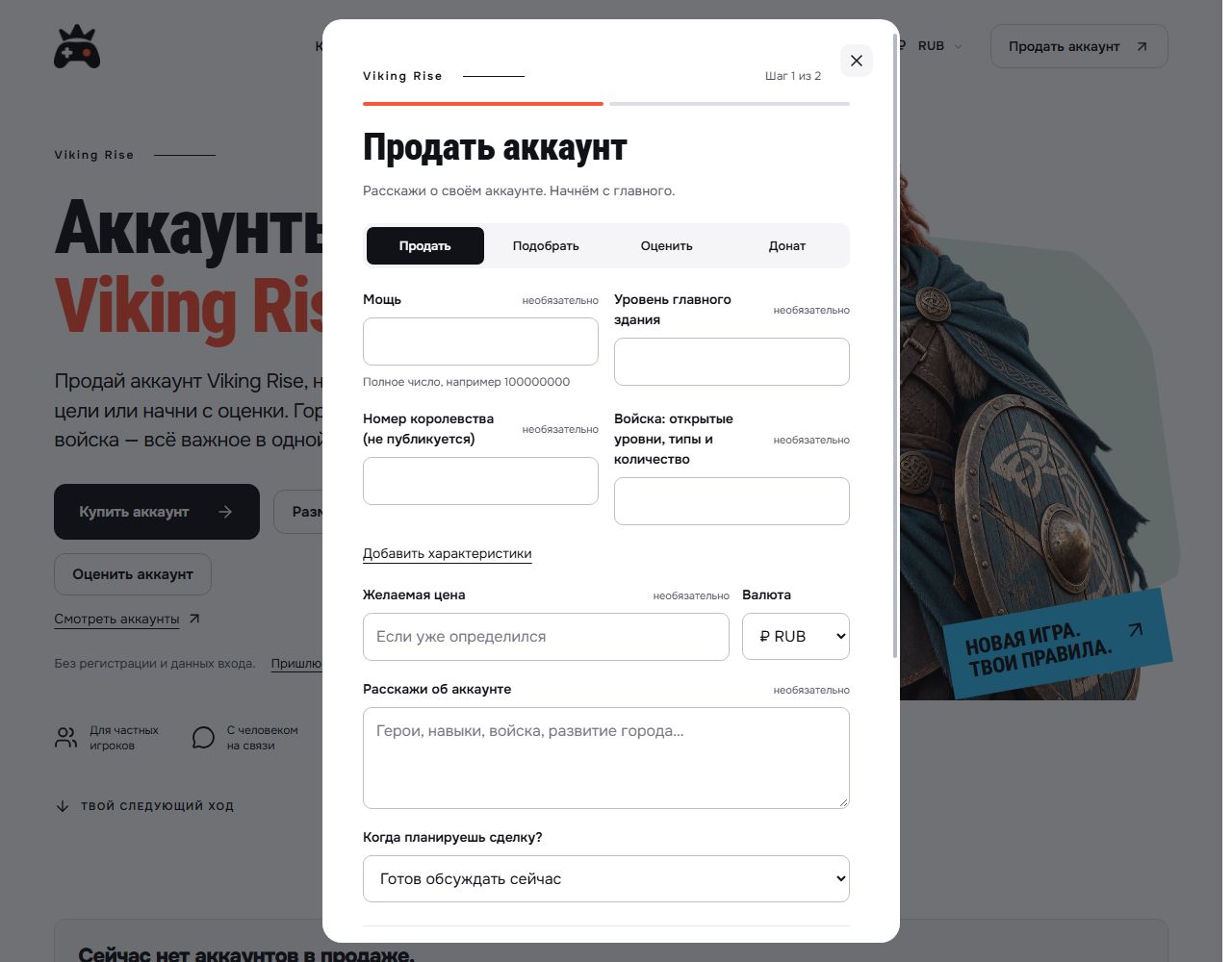
The form has two steps: account details, followed by contact information. Screenshots are attached to the request. Before sending them, hide player names, game identifiers, community names, email addresses, payments and private conversations. Passwords and login codes are not needed to prepare a listing.
If you would like help with the text, use Send materials to GM. Send the game name, known specifications, asking price with currency and screenshots as one set. GM will clarify missing details and prepare the text and photos; publication follows review and your permission.
After publication, save the listing link. If the specifications or price change, tell GM and provide current data. If the account is sold or you change your mind, ask for the listing to be removed so buyers do not enquire about an outdated offer.
What to clarify before a deal
IGG’s agreement prohibits selling or transferring accounts outside exceptions expressly provided by the publisher. GM is an independent service; preparing a listing or assisting with a deal does not override those rules or possible access restrictions.
Check assistance terms and fees in advance on the Viking Rise page. Preparing a request does not mean that the publisher permits the account transfer.
Submit a Viking Rise account for sale · Send materials to GM.