

Same 2.25%, different troops: check Viking Rise boots
Slither Boots and Earthquake Boots show the same attack number for different troops. Read bonus labels, Smithy filters and what Favorited actually contains.
Published
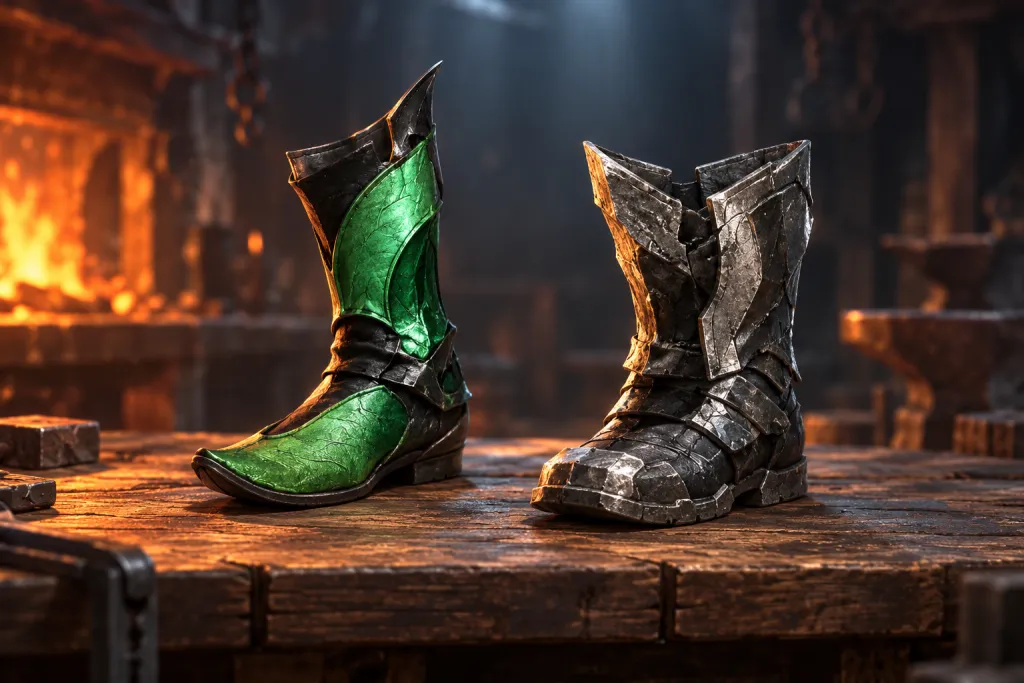
Our equipment-category and forging-points guide separates item type from rarity. In Viking Rise’s Smithy, check something else too: which troops an item enhances. Slither Boots and Earthquake Boots both show 2.25% attack, but one says Archer and the other Infantry. The percentage alone is insufficient.
Same percentages, different troops
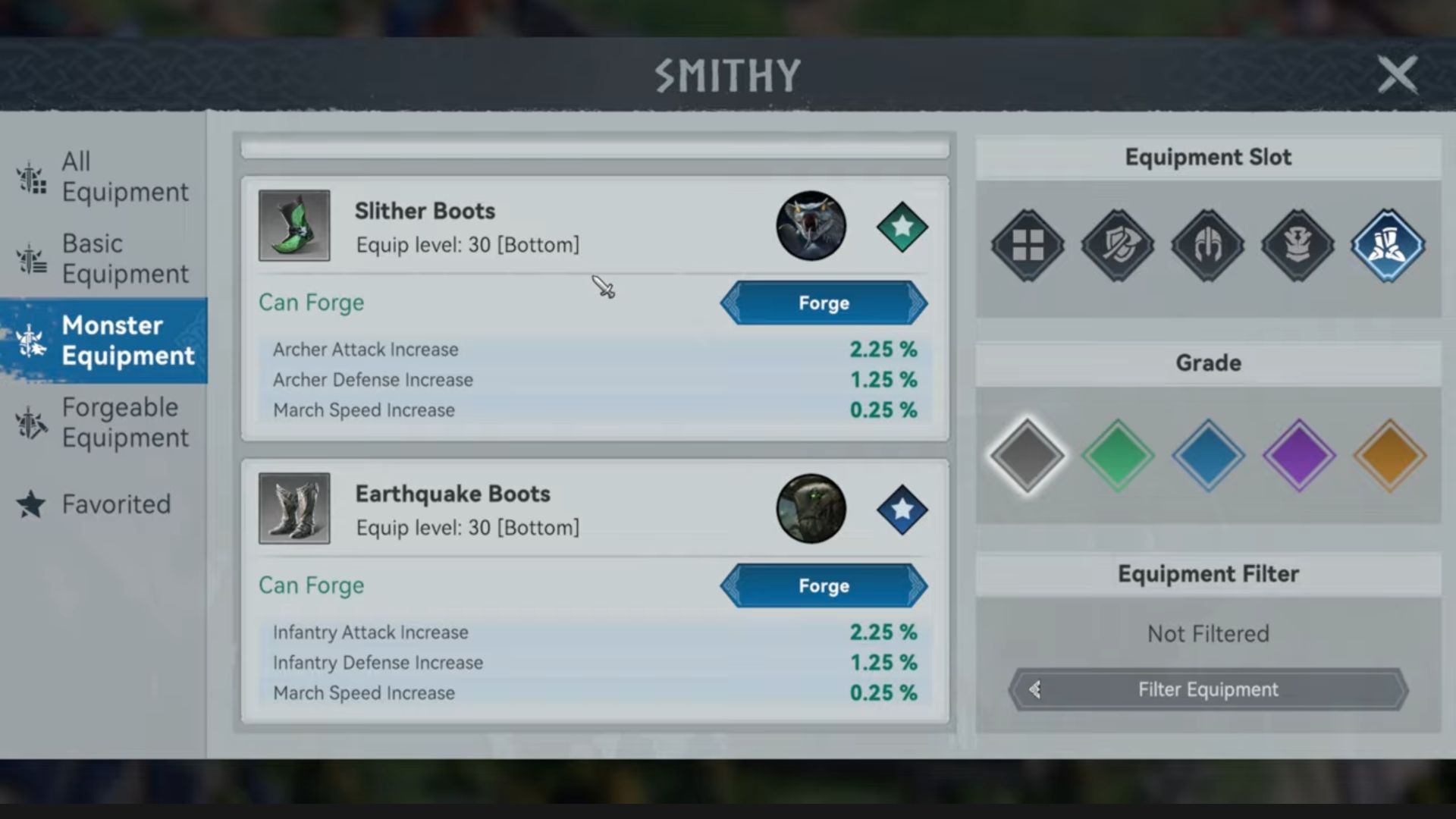
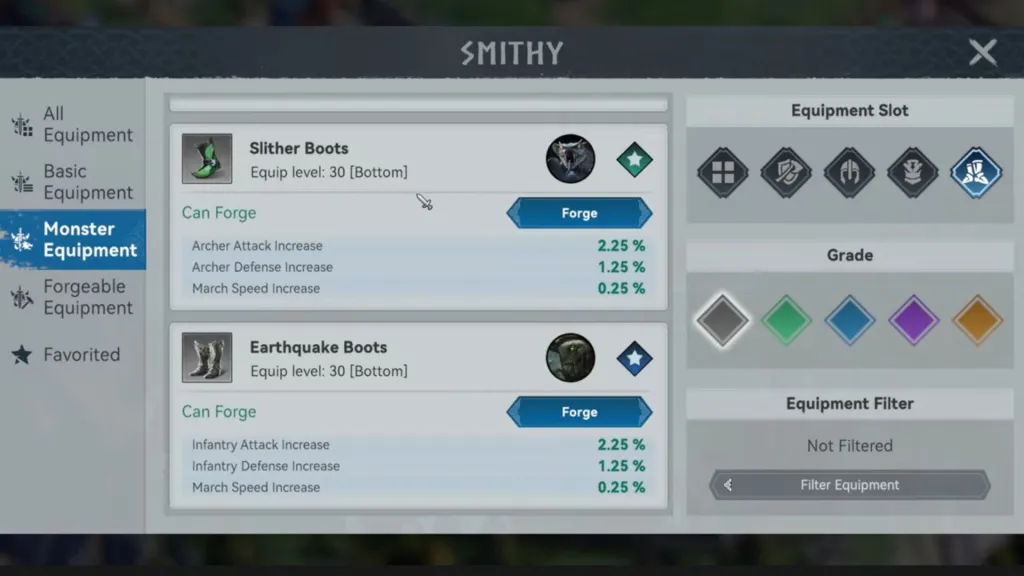
At 03:50 in Orexyn’s 5 October 2026 recording, the Smithy is open. Slither Boots list Archer Attack Increase 2.25% and Archer Defense Increase 1.25%. Earthquake Boots have the same figures beside Infantry. Both also show March Speed Increase 0.25%.
Read the entire stat name before comparing its value. For an Archer goal, Infantry Attack does not become Archer Attack because both say 2.25%. Recheck the item when changing your squad. These two cards do not establish the stronger troop type or a universally best set.
Both rows say Equip level: 30 [Bottom]: the displayed equipment-level marker and slot match. That helps compare corresponding statistics, but does not prove either item is equipped. Open both original boot cards at full size.
Category, slot and grade are separate checks
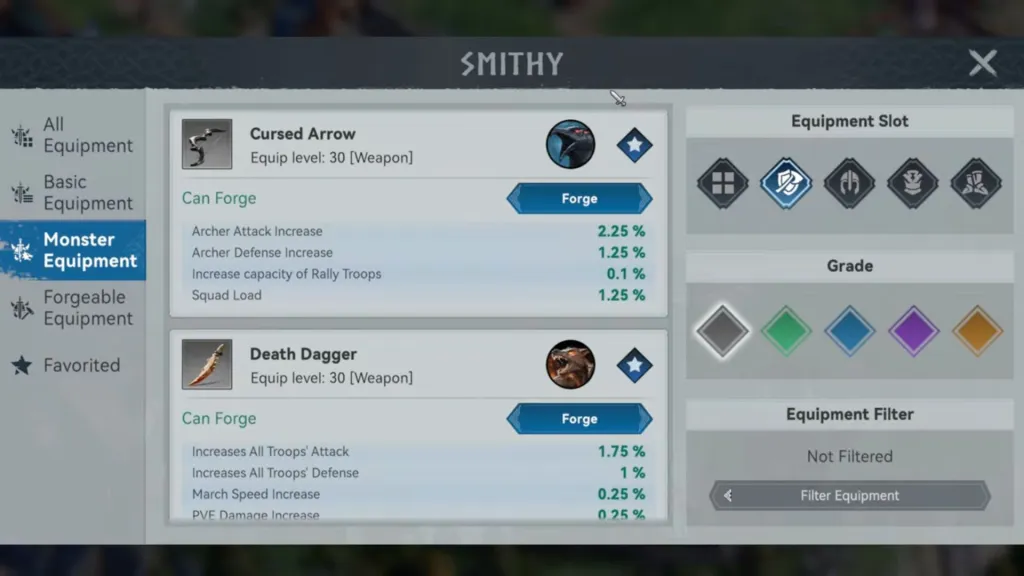
The left menu shows Monster Equipment, an equipment category. Equipment Slot on the right filters an item’s position. Icons cover all items, weapon, headgear, upper and lower equipment. Select the appropriate slot to compare items for one task.
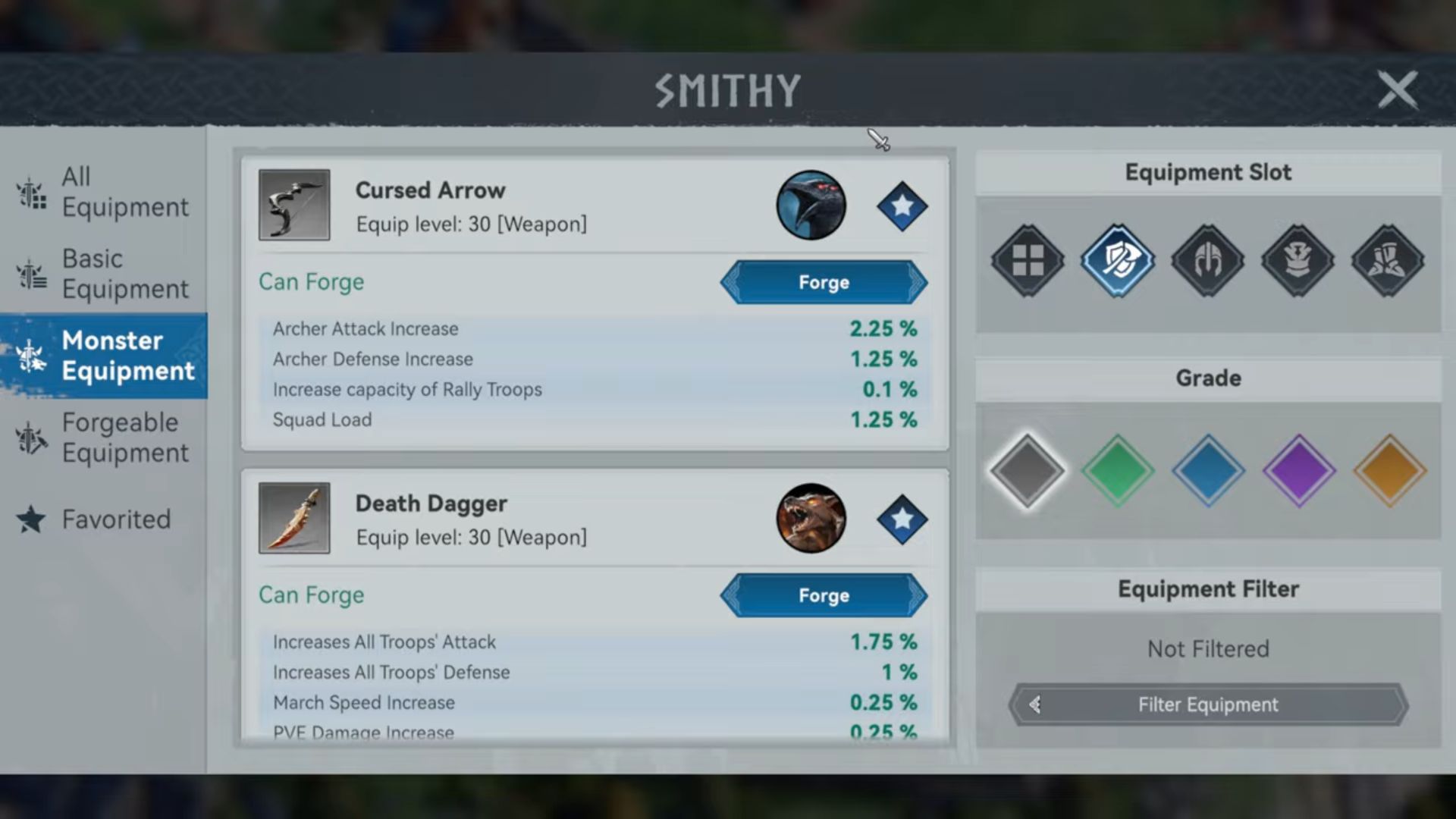
At 03:05 the weapon icon is selected. Cursed Arrow is labelled Equip level: 30 [Weapon]. It gives Archers 2.25% attack and 1.25% defence, but other stats differ from the boots: Gathering Troop Capacity and Squad Load appear separately. One matching number does not make a weapon and boots the same item.
Below the slots is Grade, a quality filter with coloured diamonds; grey is selected in this example. Equipment Filter: Not Filtered below it means no additional filter. Do not infer troop type from colour or a nearby portrait: read the bonus names. Open the original Smithy filter layout.
Favourites store the marked items
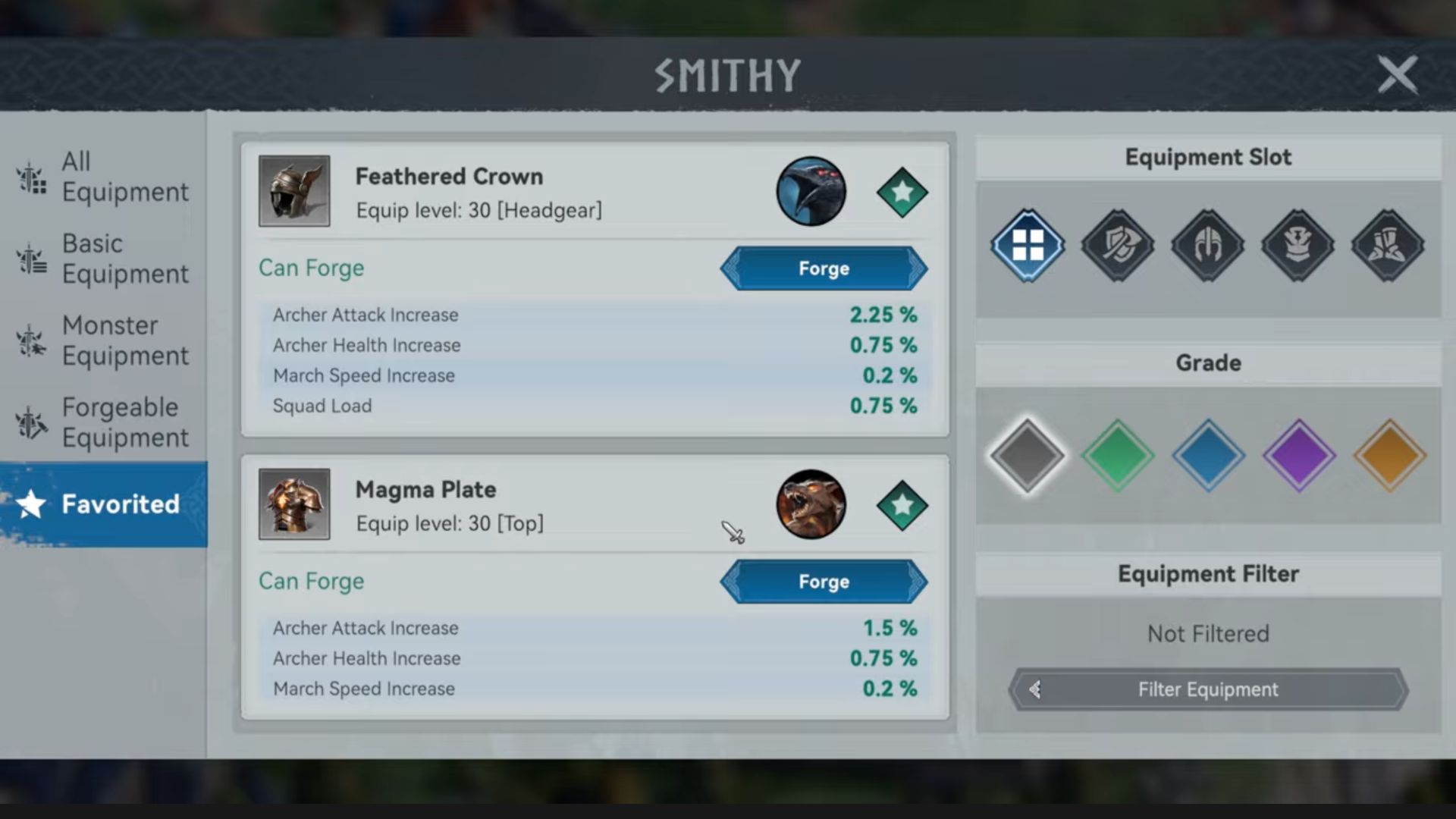
Stars sit beside item cards. In the boots screen Slither Boots has a green star and Earthquake Boots a blue one. Mark the desired item, then open Favorited in the left menu. This keeps selected item names in a separate list.
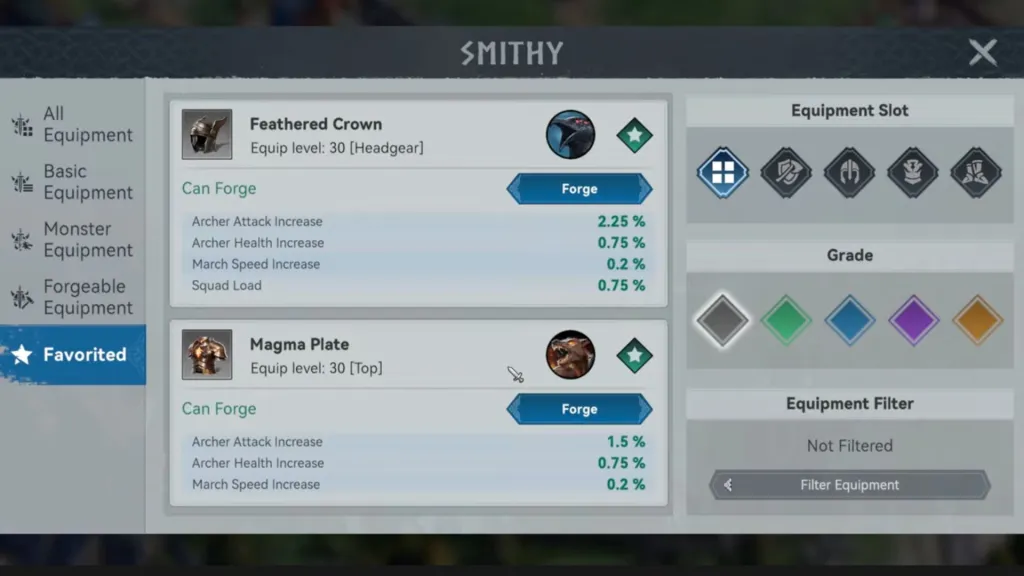
At 03:55, Favorited lists Feathered Crown [Headgear] and Magma Plate [Top], both with green stars. Nearby round portraits do not turn this item list into already-available hunting targets. When choosing a monster, read its own card and rewards rather than relying on a familiar portrait.
The same favourites show Can Forge and Forge buttons. A star helps find an item; crafting is a separate action. Read its recipe and cost in your own window before confirming. This frame shows neither successful crafting nor an obtained reward. Open the actual Favorited contents.
A short route before spending resources
Note the troop type you want to enhance and the required equipment slot. Open the relevant Smithy category, select the slot and check Grade. Read the item’s full name, level marker and bonus rows. Only then favourite it and check the specific recipe’s materials.
If also targeting a KvK preparation objective, reread the current event rules. In the foundation guide, Build means crafting an item. Favouriting, finding it in a catalogue or equipping it does not itself confirm that action. Choose useful squad equipment first, then check the event.
This guide uses three frames from another player’s dated recording. They do not establish complete recipes, drop probabilities, total set-acquisition time or every account’s current conditions. We did not hunt, forge or compare battles in the client. Apply the checks to your current window and verify results separately.