

VR777 is not new: where to redeem Viking Rise gift codes
Find Redeem Gift, check in-game mail and understand a rejected code without promises that every October code works for every account.
Published · Updated

VR777 predates the October code lists: it appears in the official Viking Rise announcement of 27 December 2022. That post also explains where to redeem it and how the gift is delivered. An October 2026 heading above a list does not make every code in it new. We will therefore explain the route and conditions without promising a working code for every account.
A list’s update date is not a code’s release date
Pocket Gamer’s list, updated on 18 October 2026, still includes VR777. That establishes what the page listed on that date; it does not by itself confirm that your account can receive a reward today. Old codes can remain in lists, and an updated heading does not prove that a new giveaway has started.
The original VR777 announcement limited redemption to once per IGG ID, for one account under that ID, while gifts remained available. Those are the conditions of the 2022 announcement, not universal rules for all current codes. Find each other promotion’s own deadline and requirements. The old post does not establish today’s remaining stock or unlimited validity for VR777.
Where to enter a gift code
A gift code is a string entered in the game’s redemption section. This guide follows the Redeem Gift route. The section’s name does not promise a particular reward: read the announcement for the code itself to find out what it offers.
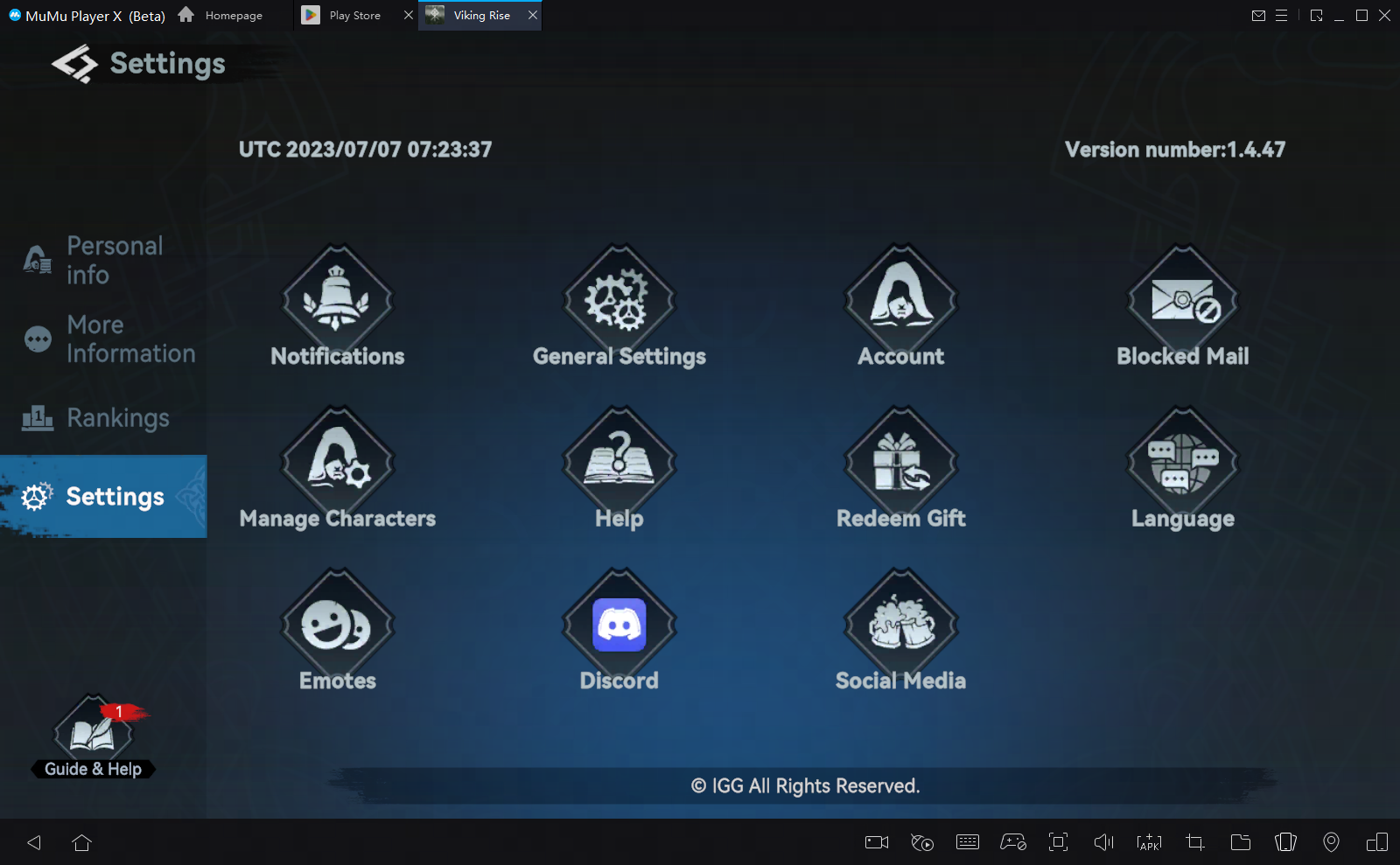
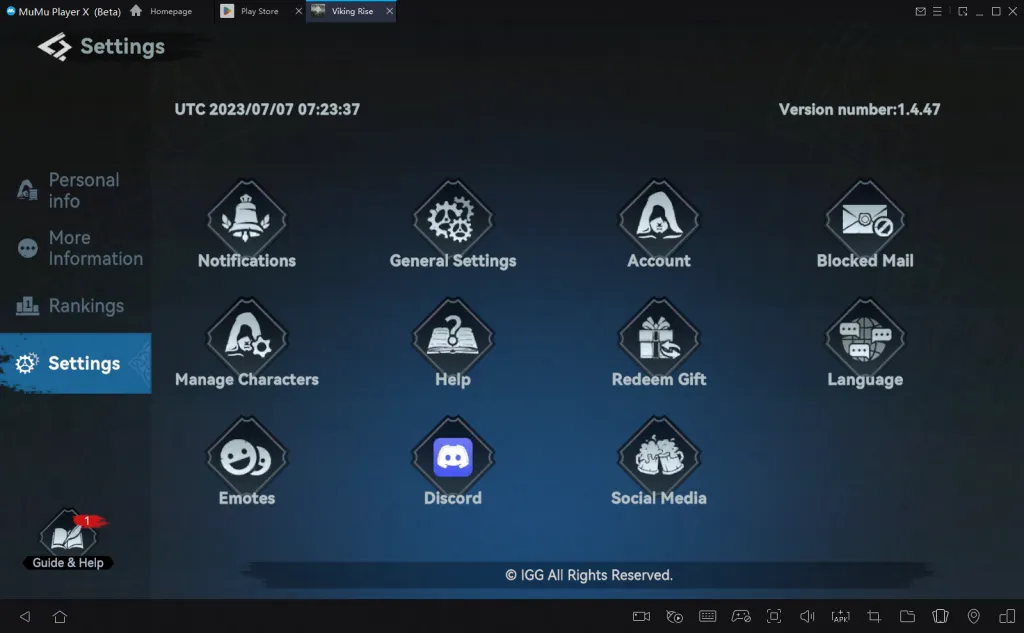
The official instructions follow three steps: player portrait in the top-left corner → Settings → Redeem Gift. In the historical screenshot below, Settings is selected on the left, and Redeem Gift has a gift-box icon in the grid. Do not confuse it with the separate General Settings option. Open the Settings screen at full size.
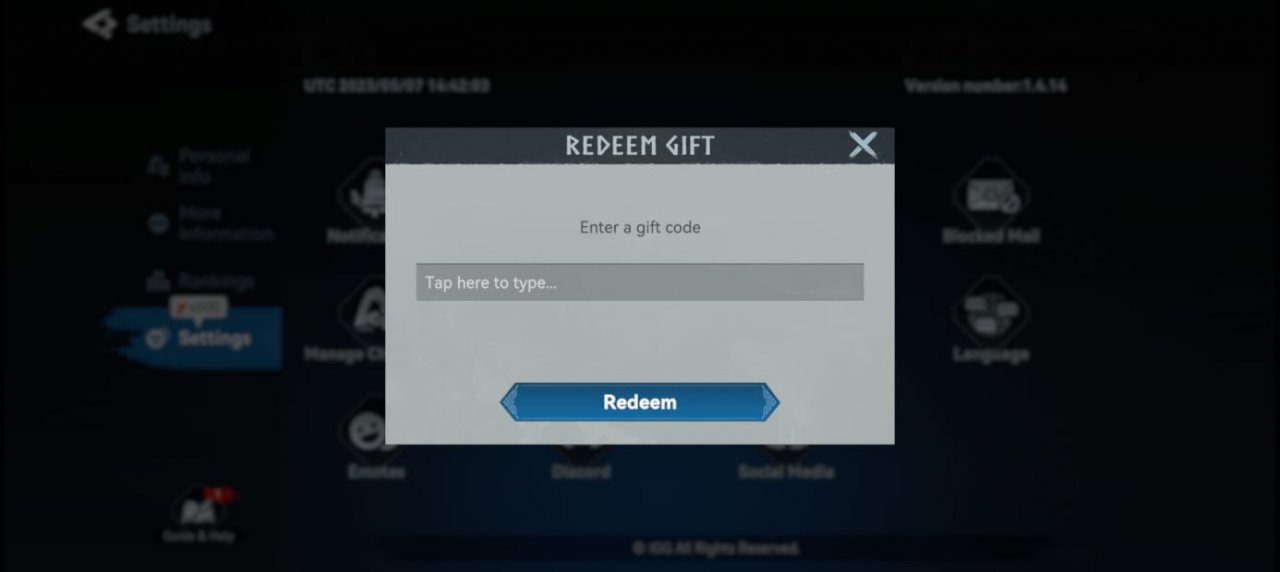
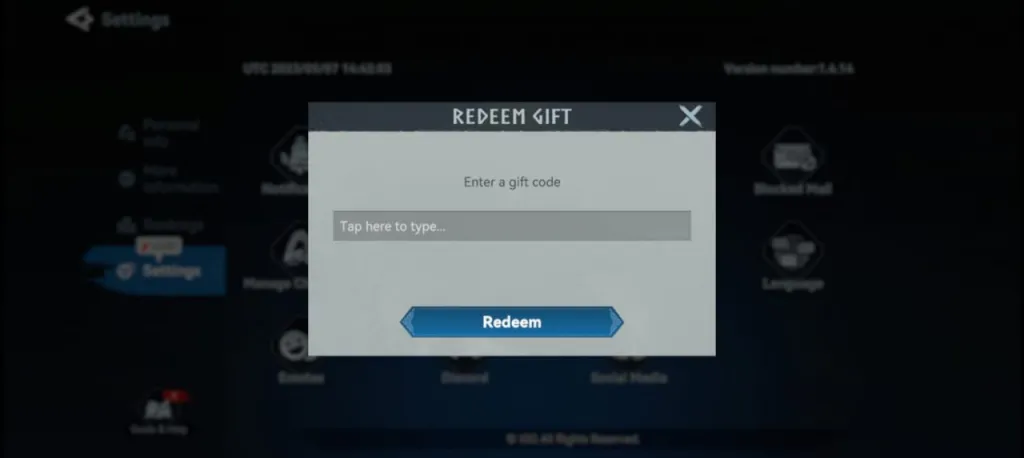
In the window that opens, find the code field, enter the code itself and press Redeem. The original screenshot below shows Enter a gift code and the confirmation button. It illustrates the published guide’s interface; it does not confirm identical button placement in every current client. Open the redemption window at full size.
If the code is accepted, check in-game mail
The official VR777 announcement specifies in-game mail as the delivery channel: the letters section inside Viking Rise. After successful redemption, check that section and the contents of the received message first. One number in the top bar cannot tell you exactly which items were issued.
An online list and the game’s confirmation serve different purposes. The list helps you find a code; the confirmation reports the result of your attempt. The current contents of a VR777 reward are not verified here. Do not budget a purchase or upgrade around someone else’s promise of thousands of Gems before seeing what you actually receive.
Four checks if the code is rejected
1. Read the whole message. Save its exact wording. A message about previous redemption differs from a code not being recognised. Do not replace the actual response with a guess about a server failure or assume every error proves that the code has expired.
2. Find the original announcement. Compare the code’s characters, the publication date and its conditions. Remove any accidental space introduced when copying. An updated roundup does not replace a promotion’s deadline. An unspecified deadline is not a promise that there are no limits.
3. Check which account you are using. IGG ID is the identifier to which the original VR777 redemption restriction applies. Before trying again, consider whether you redeemed this code previously. A new month or a renamed list does not itself reset a past claim.
4. Separate rejection from missing mail. If redemption was confirmed, check in-game mail; if it was rejected, investigate the response first. Give support the code, attempt time and game message. This is more useful than repeatedly entering the same string. For stream rewards, use our Viking Rise Twitch Drops checks to separate progress, claiming on Twitch and delivery.
Buying a pack with Crystals is a different calculation from receiving a coded gift. Before choosing a card, read why a Crystal Card does not deliver its entire total immediately. That guide helps with planning; it does not fix a rejected gift code.