

Accounts in
PUBG Mobile
Sell a PUBG Mobile account, find the collection you want or start with a valuation. Weapon upgrades, X-Suits, rare outfits and account history — the details that matter, in one request.
No registration or login details needed.Send materials to GM
playersA real person
to help youSimple
and clear
One service.
More possibilities.
Time to move on?
Sell your account, find another,
get a valuation or order a top-up.
How to list an account
From a short request to a listing on the site.
Published after review and with your permission.
- 1
Send a request
Add the specifications, your asking price if you have one, current screenshots and a Telegram contact.
- 2
Prepare the listing
GM reviews the materials, checks missing details and prepares text and photos without your contacts, player name, ID or other identifying information.
- 3
Publish with your consent
After review and your approval, the account appears in the catalog with its own link. Contact GM to change the price or remove the listing.
What matters in a PUBG Mobile account
Value depends on the details. We compare progress and capabilities with current listings; the parties agree on the final price.
Edition and game region
Global, KR/JP, VN and BGMI are different editions. Specify your client and game region: events, login methods and top-ups may differ. PUBG for PC is a separate game.
Weapon upgrades and X-Suits
Names and levels of each upgrade matter. Show the Laboratory and your X-Suits: equal item counts do not mean equal collections.
Permanent collection and progress
Rare outfits, collaborations, vehicles and Royale Pass rewards. Separate permanent items from temporary ones. State the season and mode for ranks, and describe Home and Metro Royale progress separately.
History and restrictions
Ownership history, linked login methods and restrictions matter for valuation. UC, BP, AG and coupons are different game resources, not cash available for withdrawal.
What to show in screenshots
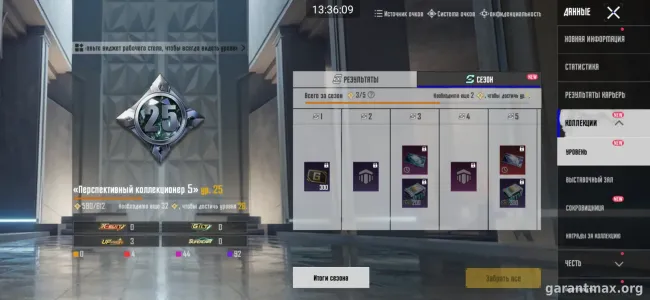
- Profile & collectionEdition, account level and collection level. Before publication we hide the nickname, UID, clan and contacts. Do not attach identity documents.
- Laboratory and X-SuitsShow your firearm finishes and upgrade levels, then each X-Suit. A store window or preview of an unowned item does not prove ownership.
- Outfits, vehicles and seasonsPermanent inventory, rare sets, vehicles and season rewards. Rank screenshots should show the season and mode.
- Resources and login methodsUC and material balances, coupon expiry and restrictions. Name login services in text; do not send email addresses, phone numbers, passwords, receipts with personal details or login codes.
Fees & settlement
The platform sales fee for a private account is deducted from its price. The seller receives the amount less 10%.
The guarantor fee is paid on top of the private account price. The minimum guarantor fee is RUB 500.
Money is held for up to 14 days after the password change. If the account returns to its previous owner during that time, the buyer is refunded.
Partner accounts have no guarantor fee. The platform fee still applies; its amount, settlement process and final total are agreed before the deal.
The publisher prohibits selling and transferring accounts without permission. A transaction through GM does not remove the risk of a ban or the previous owner recovering access. We discuss risks and terms before payment.
Frequently asked questions
Can I start with screenshots?
Yes. Leave your Telegram contact, select the edition and attach your own screenshots. Stats are optional; we can clarify missing details from your materials.
Can I submit a PUBG PC account here?
This page is for PUBG Mobile. PUBG: Battlegrounds for PC and NEW STATE are separate games. KR/JP, VN and BGMI must be specified separately and are not automatically treated as Global.
How is the collection valued?
We compare permanent items, rarity, weapon and X-Suit levels, progress and ownership history with similar offers. UC and money spent are not the resale price.
How do I request UC?
Choose PUBG Mobile on the top-up page and specify the UC amount, player ID, nickname, client edition and top-up country. Availability and price are agreed before payment; no password or account login is needed to submit a request.
Will my UID and nickname be public?
No. Public listings contain selected stats and processed images. UID, nickname, clan, contacts and linked login details are not included.
Where can I find PUBG Mobile events?
Select PUBG Mobile in the GM calendar. Check the edition, region and event conditions. Global news does not prove that an event is available in BGMI, VN or KR/JP.