

AION 2 restricted 10,000 accounts: ban or security lock?
NC distinguishes sanctions from temporary security locks. How to check your restriction, contact support and understand the 15-day appeal deadline.
Published · Updated

An AION 2 sanction and a temporary security lock describe different situations. The official AION 2 Global Operation Policy explains sanctions and enquiries. This guide covers NC's October 13 announcement, how to check your own restriction and what to prepare for support.
What the 10,000 figure means
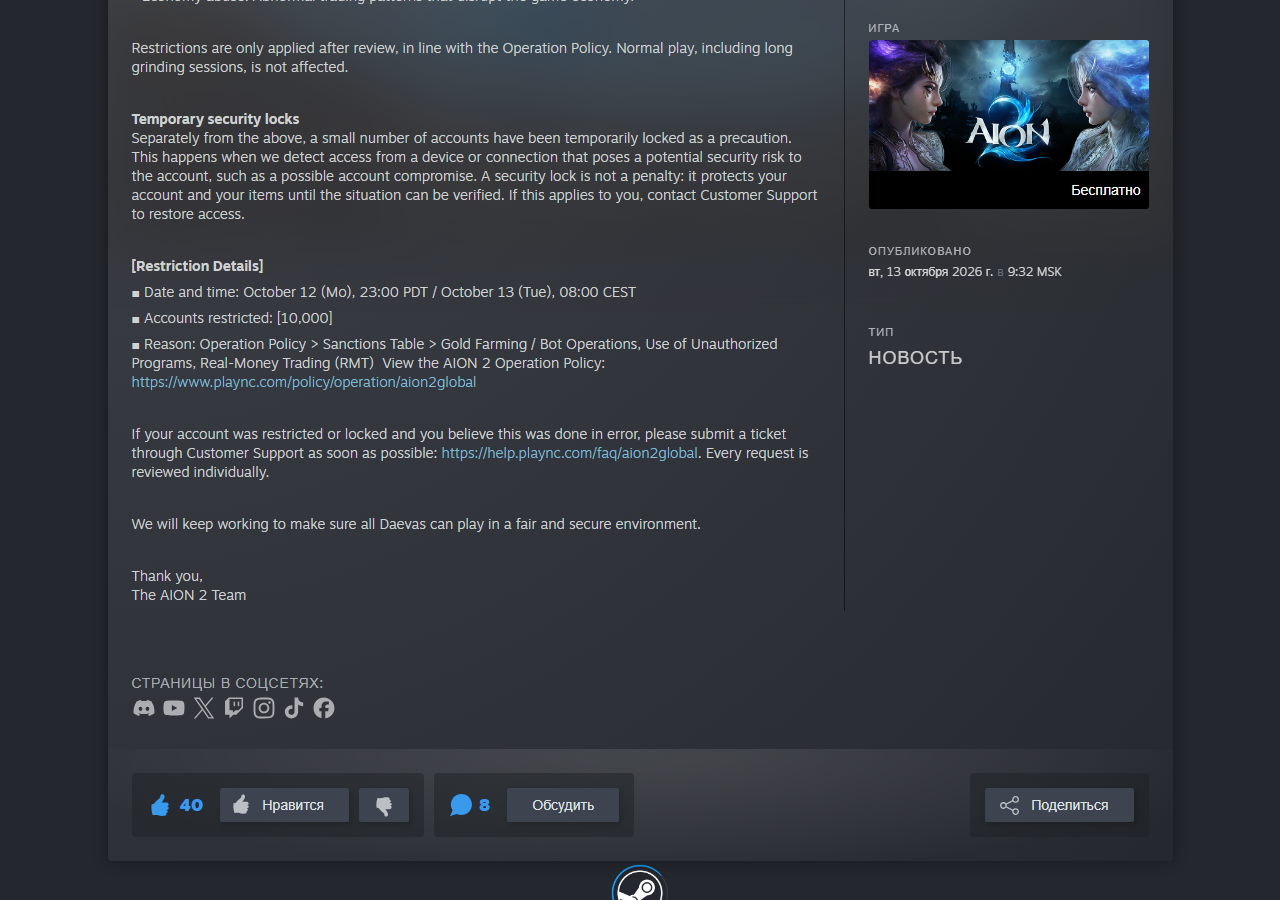
On October 13, NC reported restrictions on 10,000 accounts in the Global service. The original announcement describes action against bots, gold farming — organised resource collection for commercial gain — and disruption of the game economy. It names unauthorised programs and RMT, real-money trading of game assets, among the reasons.
This is the figure from one announcement, rather than a count of every login error that day. NC says restrictions follow review and that normal play, including long gathering sessions, is not targeted by these measures. The general post does not explain the restriction on an individual account; that requires a separate enquiry.
A temporary security lock is a separate case
The same announcement separately describes a temporary security lock. It may be applied when a device or connection appears potentially unsafe, for example if an account may have been compromised and accessed by someone else. Its purpose is to protect the account and items while the situation is checked.
NC explains that this lock is not a punishment and directs players to Customer Support to restore access. Do not infer the reason from someone else's use of the word “ban”. Save the exact restriction message shown to you first.
If you can log in but cannot list gathered materials on the Market, read about Membership and gameplay-history checks for material listings. That guide compares the FAQ and October 14 patch. A failed sale attempt alone does not establish a ban.
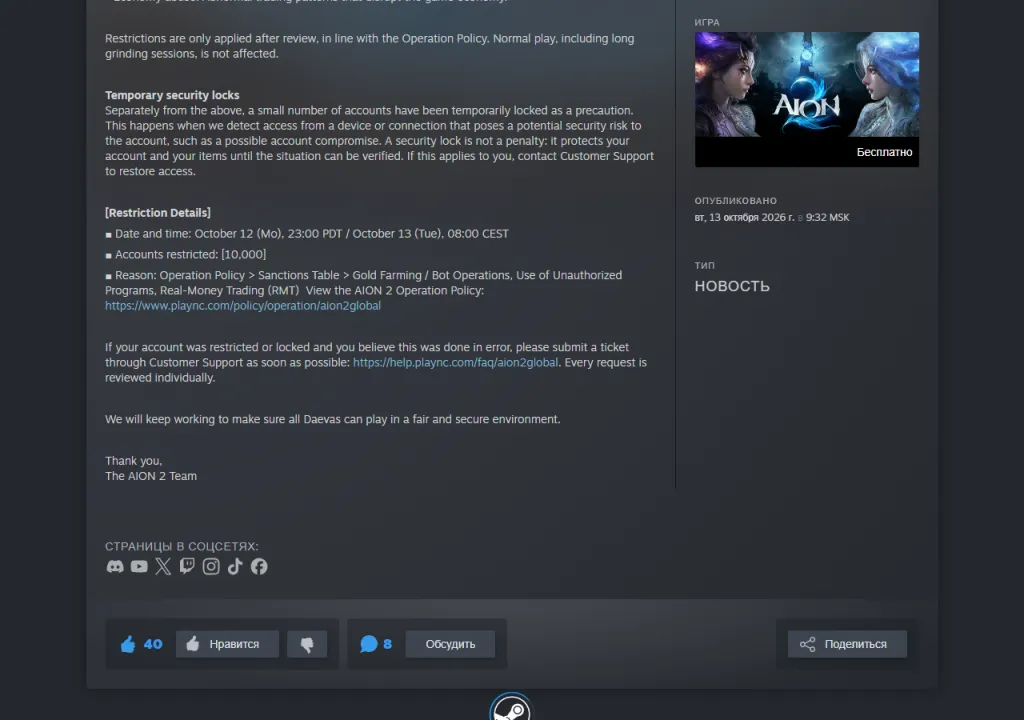
Open the announcement at full size to read the account count and separate security-lock explanation.
Where to contact support and what to save
Start with official NC support. If it opens a general page, check the selected game or service so the enquiry reaches AION 2 Global. If you believe a sanction or lock is mistaken, NC asks you to contact support promptly and says enquiries are reviewed individually. Submitting one does not guarantee removal of the restriction.
For a clear account of the issue, prepare a screenshot of the message, the date and time it appeared, your game version, region and server. Briefly describe when login last worked and what happened before it failed. This is an editorial checklist for explaining the case, rather than NC's published mandatory form fields. Keep the submission receipt so you can find the enquiry later.
Sanction appeals have a 15-day deadline
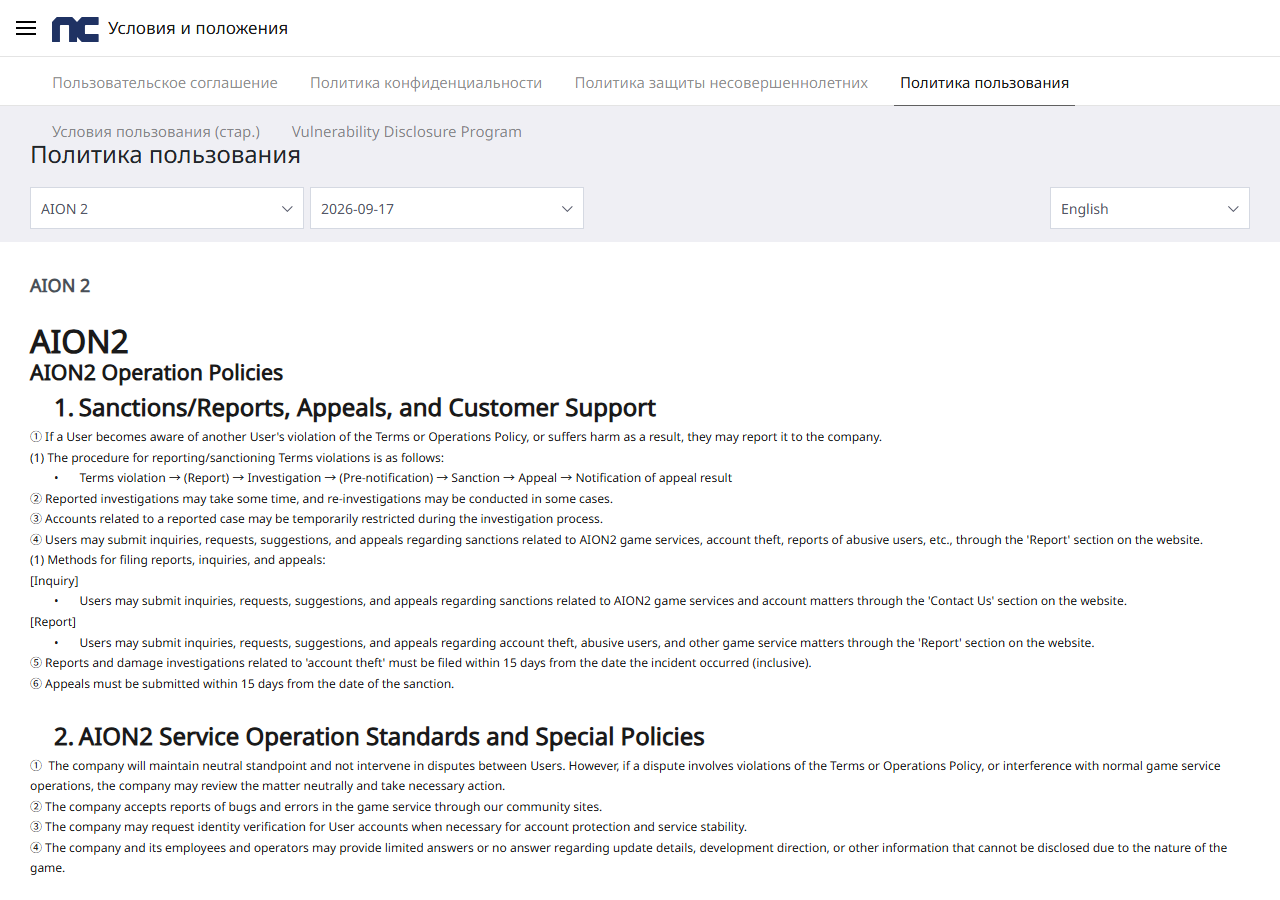
An appeal asks for a sanction to be reconsidered. Section 1 of the official policy requires submission within 15 days of the sanction date. The period runs from your sanction, rather than the news post about an enforcement wave. Review can take time; 15 days is not a promised response time.
That provision concerns a sanction appeal. Do not automatically apply it to the separately described security lock: the announcement directs those players to support for access restoration. If the restriction type is unclear, provide its exact wording and ask for an explanation.
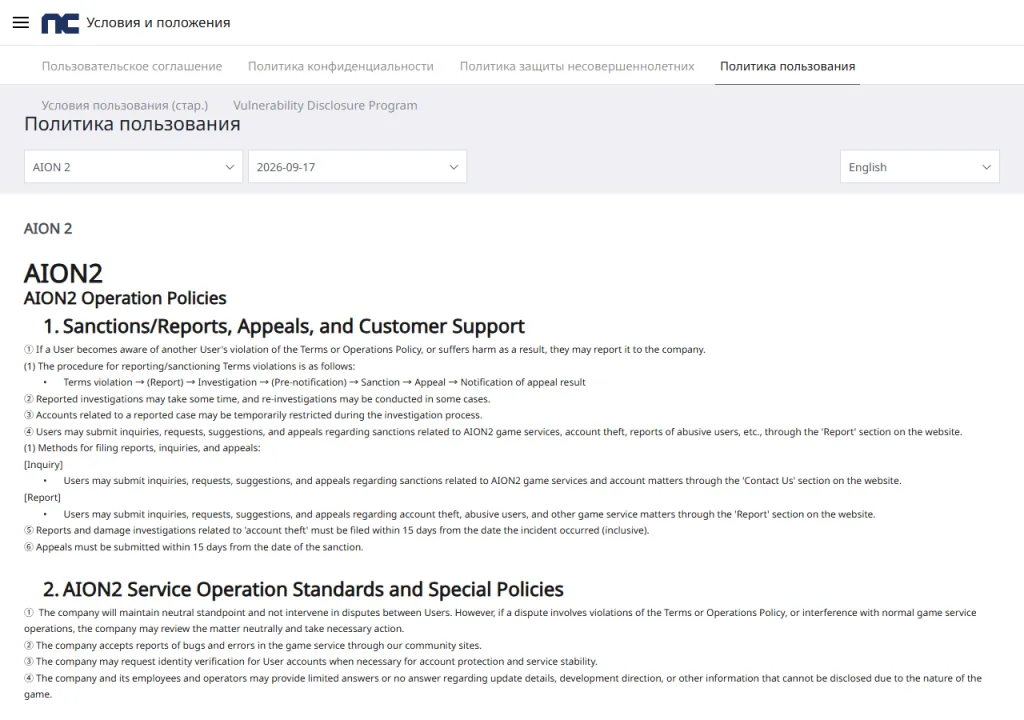
Open the appeal-deadline provision at full size. The original edition date and 15-day line are preserved.
What to do after checking the message
Read the exact restriction wording, choose the official service for your game version and submit the specific circumstances. For a sanction, observe the appeal deadline. If the cause is unknown, do not substitute a guess from another player's story. This guide concerns AION 2 Global; Korean and Taiwanese service rules may differ.
Planning to join friends on another server? Once access is restored, check the AION 2 transfer conditions: available destination, slots and storage preparation. Being able to log in does not remove those requirements.