RAID Glyph consumed, bonus unchanged: how enchanting works
Why Glyph bonuses do not stack, when another attempt changes nothing and what MAX colours mean. Three official screens and one improvement-chance calculation.
Published · Updated
A RAID Glyph can disappear without increasing a bonus: another enchantment keeps the best result rather than adding bonuses together. First check how gear Rank, Rarity and Level differ. The item’s stars and intended substat matter when choosing a Glyph.
What you spend a Glyph on
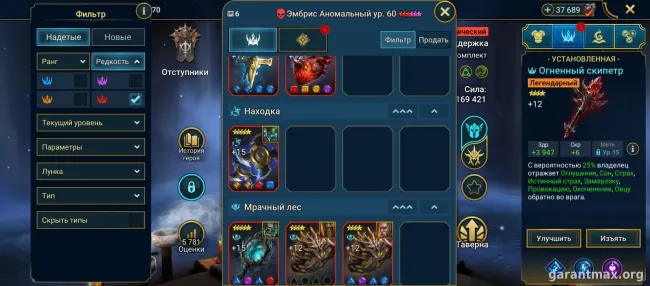
A Glyph is a consumable that enhances an Artifact or Accessory substat. This is called enchanting and remains available after the item reaches its maximum Level. Select the gear and open Upgrade → Enchant.
The item must have a matching substat and its Rank must be at least the Glyph’s Rank. ATK and ATK% are different: check the percent sign as well as the stat name before confirming.
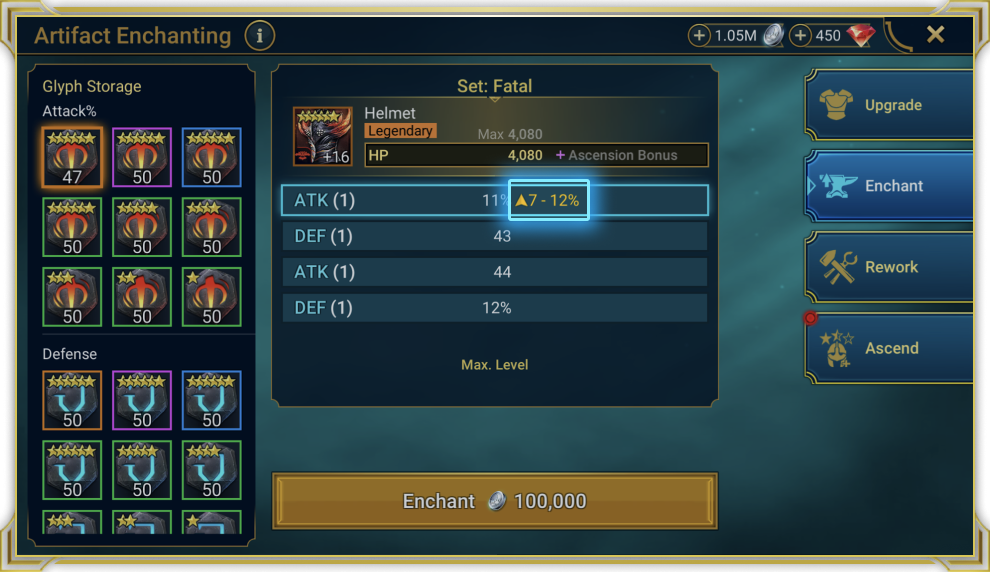
Open the Glyph range at full size. Source: Plarium.
Why the next Glyph may change nothing
An attempt consumes the Glyph once. A higher new result replaces the existing enchantment; a lower result keeps the old one. An equal result also adds nothing. The consumed Glyph cannot be retrieved, so spending it does not by itself prove the item improved.
The second official screen shows 11% ATK from the item’s substat and a separate +11% from the Glyph. If the next 7–12% roll gives 12%, the enchantment becomes +12%. The increase is one percentage point; the old +11% and new +12% do not combine into +23% from Glyphs.
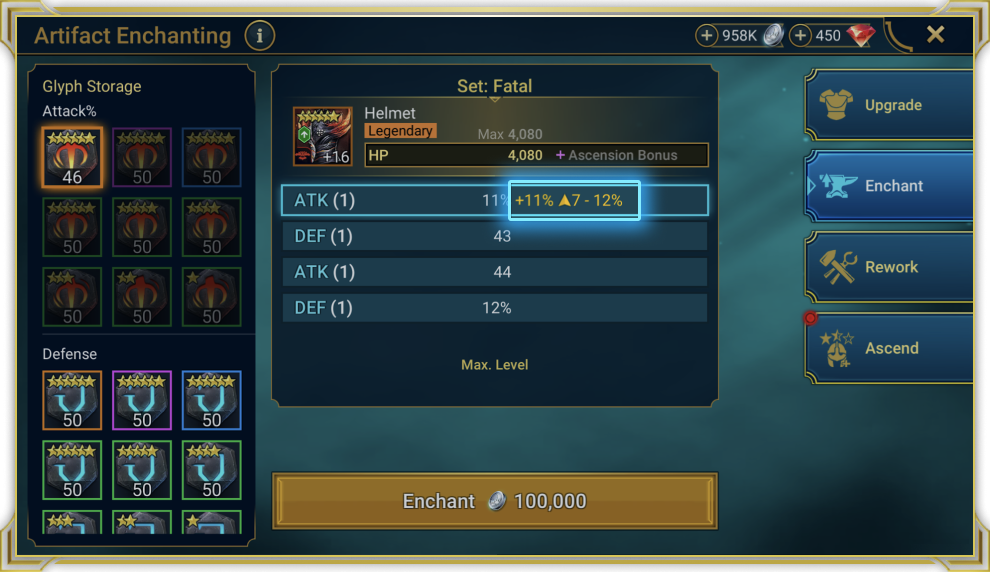
Open the enchantment result at full size. Source: Plarium.
Plarium’s guide states that results within the range are equally likely. This example has six outcomes: 7, 8, 9, 10, 11 and 12%. With +11% already applied, only the last improves the item. Our calculation is 1 in 6, approximately 16.7% per attempt. This does not promise success on the sixth Glyph or give a universal chance for every enchantment.
MAX comes in different colours
On Rank 6 gear, MAX’s colour corresponds to the relevant Glyph’s limit: green for standard, blue for Rare, purple for Epic and orange for Legendary. A Rank 6 Rare, Epic or Legendary Glyph can improve a substat already marked MAX if its possible range allows it.
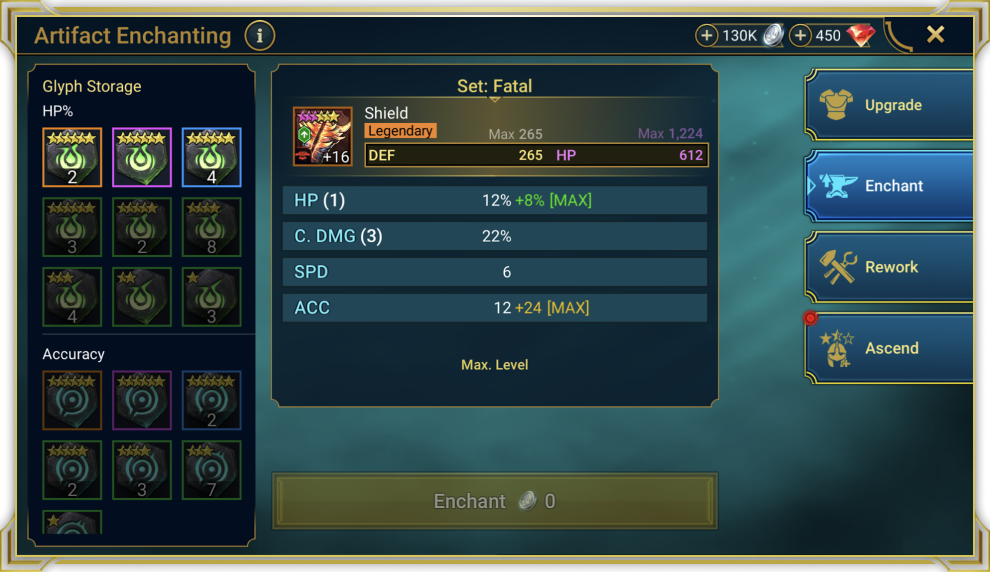
Open the MAX indicators at full size. Source: Plarium.
Three checks before another attempt
- Record the current Glyph bonus separately from the item’s original substat. Compare the new roll with that bonus.
- Check the chosen Glyph’s upper limit. In this example, the resource is spent trying to move from +11% to +12%, not to add another twelve percent.
- Decide whether that small increase is useful to a particular Champion now. For an event quest, separately read its conditions and counter in your client.
That final check is especially useful for Frontier’s Outpost quests. Consuming a Glyph, increasing a stat and satisfying a quest are three separate checks. This article explains enchanting; a particular mission’s threshold belongs on its own screen.
The source article was checked on 11 October 2026 against Plarium’s guide. Its frames are original developer examples, not tests on our account. Their balances and attempt costs are not a budget calculation for your gear.