How to sell a Doomsday account: show more than Might
Prepare verifiable account details and screenshots, choose an asking price, and submit your listing to GM. Includes a Doomsday: Last Survivors seller template.
Published · Updated

To sell a Doomsday: Last Survivors account, prepare details a buyer can verify: current development, troops, heroes, equipment, region and asking price. A profile screenshot with high Might says too little on its own. Start with a short account description and recent screens. You can use them for your own listing or submit them to the GM team.
Explain what the account is ready to do
A buyer may want a main combat account, a secondary account or a setup for a specific troop type. Explain what yours can already do and what still needs development. Nearly T6 and unlocked T6 with a prepared army are different offers. Do not describe future upgrades as part of the current account.
Record the screenshot date, region, Shelter level and VIP level. If a buyer may come from another region, check your migration items and known restrictions. Owning a migration visa alone does not confirm eligibility for the chosen destination; that must be checked before agreeing. Discuss the region number privately with GM rather than adding it to the public listing.
What to show beyond total Might
Troops and research. List unlocked tiers by troop type and the actual troop count at each relevant tier. Note wounded troops and unfinished research separately. An unlocked T6 screen does not replace an army composition screen. Our Barracks training and upgrading guide explains the difference between unlocking, training and upgrading.
Heroes. For your main lineups, show names, levels, stars, skills and Awakening. Having many level-60 heroes does not describe their skill development. Our hero level and skills guide shows why a buyer needs both screens. Do not call a hero fully developed if you show only the level.
Equipment and bonuses. Include the set for the advertised troop type and its displayed stats. State the conditions: selected squad, equipped items and active boosts. A detailed item screen is more useful than its frame color alone. Label hero Armament, Squad Equipment and other systems separately.
Might has an instructive limitation. IGG's historical version notes describe calculating Squad Equipment Might from the highest unlocked troop tier while retaining the equipment's bonuses. One figure therefore cannot replace the actual set and its properties. Our equipment Might and bonuses analysis explains the distinction. This is a historical example of reading a stat, not a new update announcement.
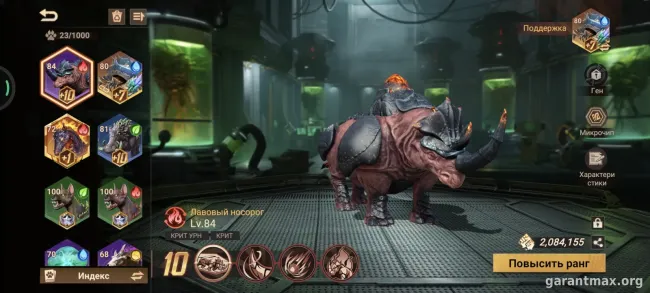
Other strengths. Include developed Biochemical Beasts, vehicles, important stockpiles and any other features central to your offer. Avoid listing the whole inventory without explanation. Connect each strength to a lineup or task the buyer needs.
How to choose an asking price
Compare several recent offers with a similar role and level of development. For example, sellers in the Doomsday category on PlayerUp highlight VIP, T5/T6, heroes and total Might. Those details help shortlist comparisons, but each listing's condition and currency still need checking. The category also contains older listings and offers for individual resources; do not mix those with an entire account.
For each suitable comparison, note the date, asking price and currency, included development, restrictions and unknown details. Identical photos and stats on different sites may describe the same account. An asking price is a seller's request, not a verified sale price. A closed or removed listing does not prove a sale at its former price.
Choose a starting price and decide privately how much negotiation you will accept. Previous spending does not oblige a buyer to reimburse it, and urgency does not set a universal discount. If similar accounts are scarce or their details incomplete, start with a valuation request and identify what you could not compare. Further upgrades made for the sale do not guarantee recovery of their cost either.
Where to list and what to agree first
If you can answer buyers and maintain the listing yourself, choose a platform with a Doomsday category and clear listing rules. If you prefer to send the description and screenshots to a team, GM accepts submissions through its form and Telegram. These are two ways to prepare a listing; neither promises a buyer by a particular date.
Before listing, establish who answers questions, how to change the price, when to remove the listing and how payment will work. Agree the fee, who pays it, the seller's net amount and payout timing separately. A third-party platform may prohibit sharing contacts or moving payment elsewhere; check its rules first. At GM, the buyer pays the transaction support fee of 10% of the account price, with a minimum of RUB 500, on top of the price. The seller receives the full agreed account price. Both parties confirm the terms before the transaction.
A short Doomsday listing template
Copy the fields below and enter your own details. If a property is unverified, say so. Replace max with a specific level or screenshot.
Overview: Doomsday: Last Survivors; account role [main / secondary / other]; verification date […]; Shelter […]; VIP […]; current Might […].
Army: troop types and unlocked tiers […]; troop count by tier […]; wounded troops […]; completed key research […].
Lineups: main heroes, skills and Awakening […]; equipment sets and confirmed bonuses […]; beasts, vehicles and important features […].
Restrictions: migration eligibility and visa stock […]; known restrictions […]; whether you are the original owner […]; names of linked services and what is known about access […]. Do not include email addresses, passwords or codes here.
Terms: price and currency […]; negotiable or fixed […]; what is included […]; what still needs clarification […]. Use the form's dedicated contact field for your contact details.
How to submit your listing to GM
Through the form: open the Doomsday account sale form, check the selected game and action, and add your description, price and recent screenshots. If you first need help setting a price, choose valuation on the game page. Submitted materials are reviewed, and publishing requires your consent.
Through the team: the listing instructions include a Telegram link. Send your prepared description and images together. Keep game stats visible, but hide your nickname, player ID, region number, email, codes, payments and private conversations. Do not alter stats or send login details; they are unnecessary for a listing.
Before listing, read section 6 of IGG's Terms of Service: account sales and transfers are prohibited and may lead to loss of access. Third-party assistance does not override the publisher's rules or guarantee protection from a ban.
Once published, save the listing link. If the price, army or equipment changes, tell GM and send updated details. If the account is sold or you change your mind, ask for the listing to be removed. A current listing gives buyers a clear starting point and saves you from repeatedly explaining outdated terms.