Doomsday's 1,050% beast skill: three garrison checks
A large skill factor depends on the beast's role, development and garrison condition. Read an original tooltip before replacing your Biochemical Beast.
Published · Updated

Saw a 1,050% factor on Traurnokryl and decided to use it in a garrison? First check the beast's role, the echelon being viewed and the mode to which the effect applies. The skill has a separate condition: it is a Leader skill. Simply including the beast in your lineup does not activate it. Traurnokryl is the name in the Russian reference; Deathly Howl below translates that screen's skill name, rather than asserting its English localization.
This is especially useful before a team battle. Our Pompeii and Apex field analysis explains why raising some attributes does not make every account equal. Here the question is narrower: how to read one beast's tooltip and establish whether its strong effect applies to your setup.
First condition: the beast's role
At 16:07 in invul DLS's 28 July 2026 review, the Deathly Howl tooltip is open. Its lower text explicitly says that the skill works when the Biochemical Beast is assigned as Leader. This concerns the beast's own role, not which hero leads the squad.
When Traurnokryl is assigned as Support, do not count its Deathly Howl Leader skill. That is not a judgment on the whole Support role: read its other effects separately. The mistake is including a powerful description intended for the Leader when comparing a second-slot choice.
Second condition: what Max is showing
The same frame has Max preview enabled and a maximum-echelon note below the tooltip. Those numbers cannot automatically be assigned to a newly crafted beast. Open your own card, check its actual development and make sure you are reading the state you intend to compare.
The original frame below preserves the numbers. The video was published on 28 July; its exact client version is not specified. Look at the skill name at the top, role condition at the bottom and maximum preview setting. This frame does not establish the minimum echelon that unlocks the skill. It shows the state selected by the creator.
Open the skill tooltip at full size

Third condition: the garrison factor
At the maximum echelon shown, the skill deals damage every six seconds. The description gives a 700% factor, rising to 1,050% for a garrison. Thus, 1,050% is this skill's factor under its garrison condition. It does not say that the entire squad gains +1,050% damage.
Even correct arithmetic can turn into an unsupported promise. Dividing 1,050 by 700 gives 1.5: the displayed factor is one and a half times as high. That does not mean your whole squad deals 50% more damage. One skill description is insufficient for that conclusion; you need a comparable battle and an analysis of its result.
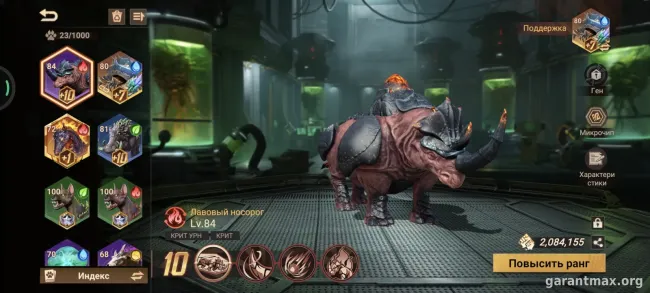
The garrison focus also appears on the original Traurnokryl card, with garrison, critical-hit and counterattack tags beside the name. IGG's 1.59.0 release notes of 28 July separately announce two Physical-type Secret Biochemical Beasts for Rallies and Garrison. This is a July mechanic, not a new release announcement.
Before replacing a beast, name the role you are choosing: garrison Leader or Support. For a Leader, check your available echelon and the garrison part of the skill. For Support, compare that role's effects while excluding Deathly Howl. Both choices can then be assessed against the same task.
If the new pairing means removing a developed beast, record the active effects you would lose too. One large number in maximum preview is not a complete answer about replacement. Check the role and available abilities first, then compare them in the relevant battle. That order helps establish what you are spending resources to obtain.